
Your production plan.
Finally under control.
Turn Excel files and ERP work orders into a live, visual production schedule. Organize jobs, balance machine workloads, assign operators, and keep your entire shop floor aligned.
Keep your ERP. Start with your existing files. Machine connectivity is optional.

From ERP or Excel to your shop floor
Keep your ERP. Replace the planning spreadsheets and manual coordination around it with a production plan your entire shop floor can follow.
ERP / Excel
Import work orders, operations, quantities, and deadlines from the files you already use.
JITbase
Production Planning
Organize jobs into a visual schedule. Manage priorities, machines, and operator assignments.
Shop floor
Operators see their assignments, machine-specific priorities, and what comes next.
Your ERP remains your business system. JITbase connects work orders to execution.
Begin with a few machines or plan across your facility. Introduce the workflow progressively.
Your production schedule, machine by machine
Group jobs by machine and see setup and production operations in sequence. The timeline brings planned workloads and expected start and completion times into the same workspace.
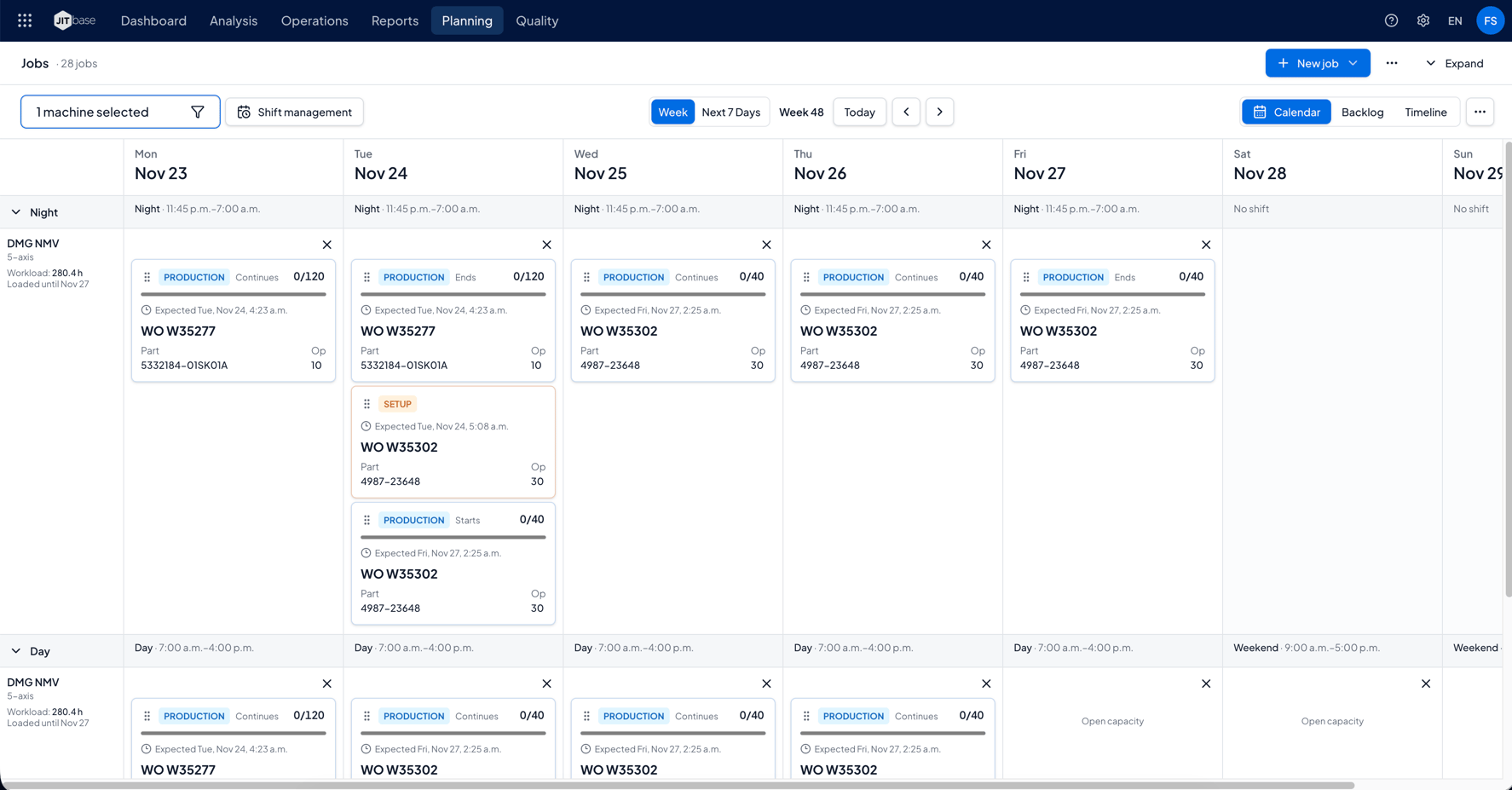
Review the work already planned.
Compare planned machine workloads.
Check expected completion dates.
Assess the schedule before committing.
Plans change. Keep your priorities clear.
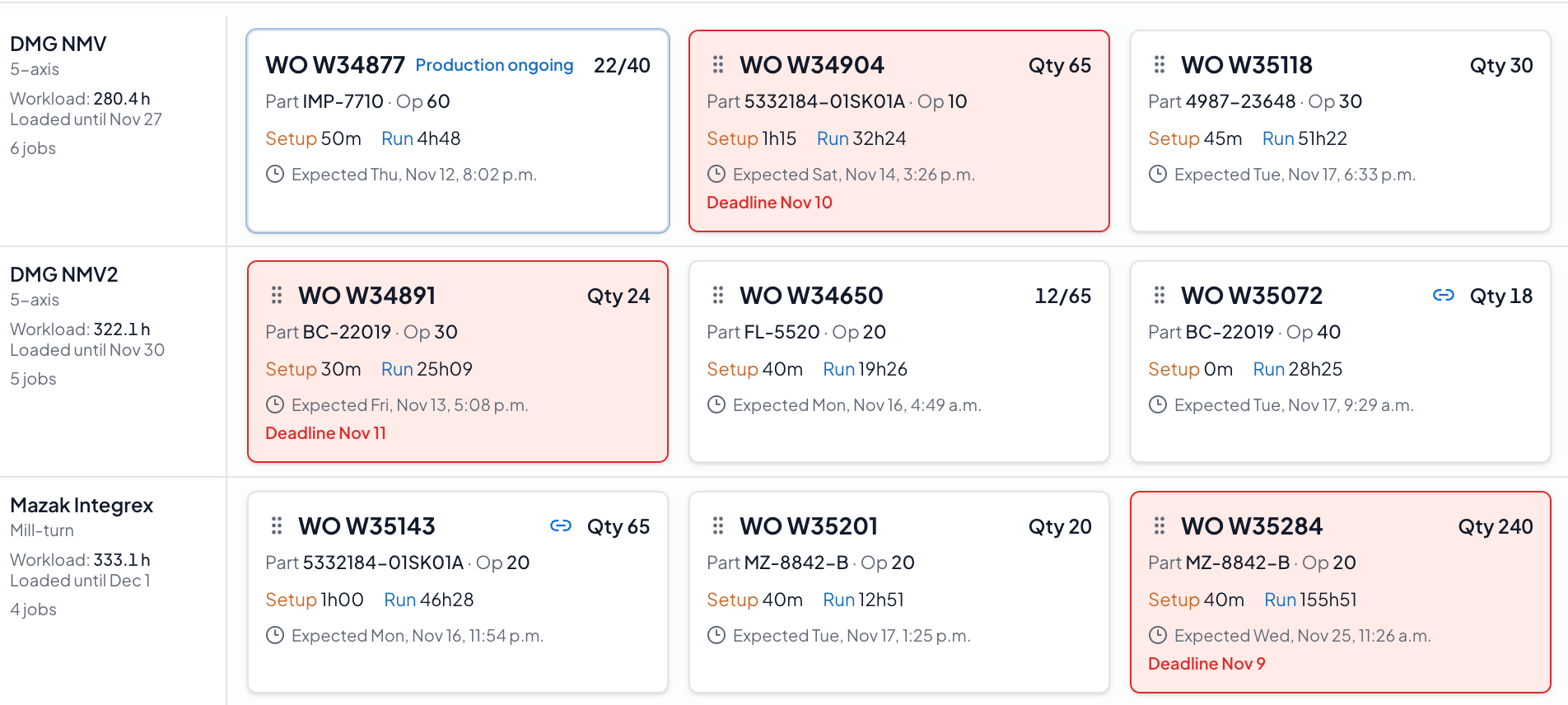
An urgent job arrives. A machine is already fully loaded. Review the jobs in the queue and adjust the plan around the next production priority.
- Reorder jobs by drag and drop or move them between machines.
- Compare workloads to identify overloaded machines.
- Review deadlines, late-job indicators, and updated estimates as priorities change.
Completion dates are planning estimates based on your configured data and schedule, not delivery guarantees.
One plan for the office and the shop floor
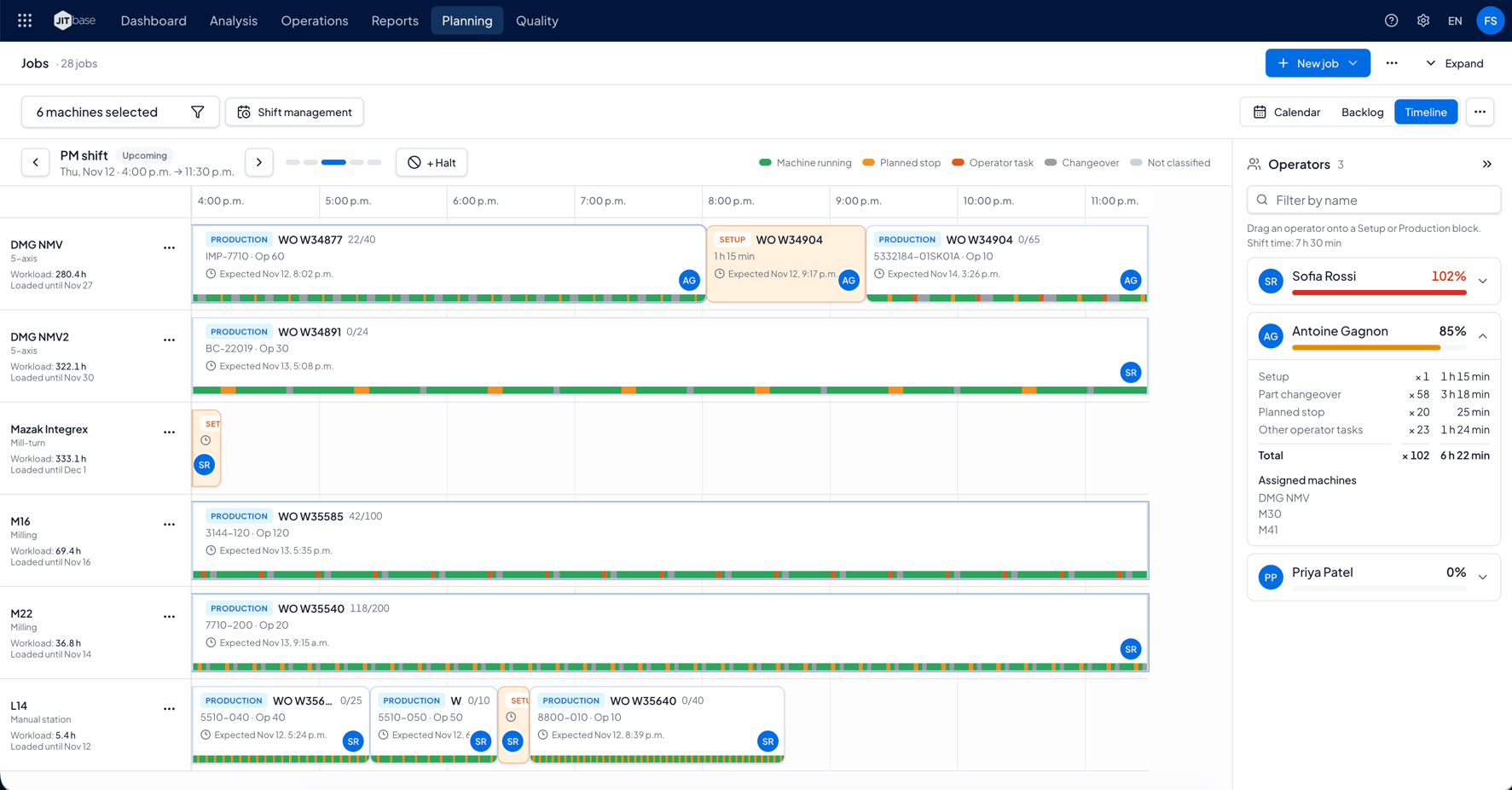
Assign operators to the work you have scheduled. Give your team visibility into current and upcoming jobs so daily execution follows the same priorities as the production office.
From Excel to your first production plan
You do not have to replace your ERP or change every process at once. Bring your current data into JITbase and introduce planning progressively.
Import your plan
Upload your Excel file or ERP export. Match the columns and bring your work orders into JITbase.
Organize your production
Assign jobs to machines, adjust priorities, and review workloads and estimated completion times.
Share with the shop floor
Give operators a clear view of what needs to be done and what comes next.
Connect your machines when you’re ready
Production Planning works without machine connectivity. When you also use JITbase Machine Monitoring, actual production progress and machine activity can help keep the plan up to date.
Less time planning. More control over production.
Less spreadsheet upkeep
Adjust your production sequence in one workspace instead of maintaining parallel plans.
Clear machine workloads
See planned work by machine before assigning the next job.
Respond to changing priorities
Reorder work and review the revised estimates when the plan changes.
Office and shop floor aligned
Share priorities and operator assignments from the same plan.
Anticipate delays
Review deadlines against workloads and expected completion times.
Discuss delivery dates with context
Use the planned sequence and completion estimates to inform commitments.
Bring your work orders.
We’ll show you your production plan.
See JITbase with your own production data. Ask about our one-month trial opportunity and review how your existing work orders become a plan your shop floor can follow.