
Free tool
OEE Calculator for CNC Shops
Turn a few numbers from your shift into an OEE score, split into availability, performance and quality, to see which loss costs you the most. It works for a single CNC machine, a cell or a whole line.
- Free
- No sign-up
- Results as you type
- Runs in your browser
Calculate Your OEE
Your Production Data
Calculations run in your browser. Nothing you enter is sent or stored.
Your Result
The 85% figure is often quoted as a reference, not as a target for every shop.
How the OEE Calculator Works
OEE multiplies three ratios, and each one measures a different kind of loss. Because the ratios are multiplied, small losses add up quickly: 90% on each factor already gives an OEE of about 73%. For the theory behind each type of loss, read the complete guide to overall equipment effectiveness.
Availability
Planned time minus downtime, divided by planned time. Setups, changeovers, breakdowns and waiting reduce it.
Performance
Ideal cycle time × total parts, divided by run time. Slow cycles, feed overrides and short stops reduce it.
Quality
Good parts divided by total parts. Scrap and rework reduce it.
For planned production time, enter the shift length minus scheduled breaks. In this calculator, setups and changeovers count as downtime; if your company treats them as planned stops, subtract them instead and apply the same rule every time. For the ideal cycle time, use the fastest time per part the machine can sustain, not an average of recent runs, because an average already contains the losses you want to measure. On a CNC machine, you can estimate it from the program: see how to extract cycle times from G-code.
Worked Example: One 8-Hour Shift
Take 480 minutes of planned production time, 60 minutes of downtime, a 4-minute ideal cycle time, 90 parts produced and 86 good parts. This is the example loaded by default in the calculator.
The OEE is 71.7%. Performance is the weakest factor, closely followed by availability: the machine did not stop for long, but it ran slower than its ideal rate.
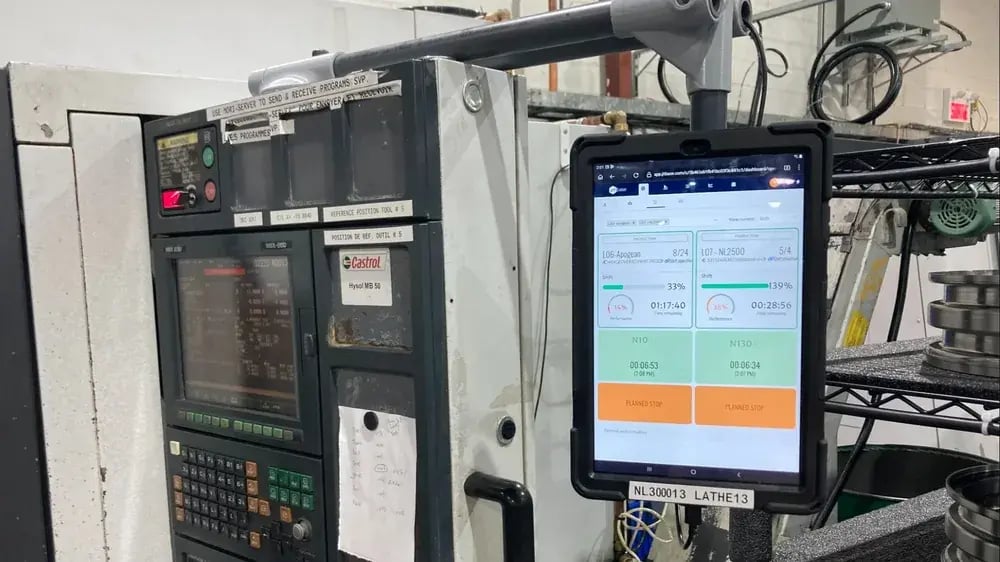
Track OEE without the spreadsheet. JITbase calculates availability, performance and quality from live machine data.
See how machine monitoring worksHow to Read Your Result
Start with the lowest of the three factors, not with the OEE total. It tells you where to look first.
| Lowest factor | Typical causes in a CNC shop | First thing to check |
|---|---|---|
| Availability | Long setups, changeovers, waiting for material or programs, breakdowns | Downtime reasons by machine and shift |
| Performance | Slow cycles, feed overrides, short stops, worn tools | Actual cycle time against the ideal one, job by job |
| Quality | Scrap after tool changes, unstable setups, rework after inspection | Scrap and rework by part number and shift |
You will often hear 85% quoted as a world-class reference. Treat it as a landmark, not as a target for every shop: a high-mix job shop with frequent setups is not comparable to a dedicated line. The best benchmark is your own machine, measured the same way over several weeks.
From Manual Entry to Automatic OEE
A calculator is a good way to learn the formula and to audit one machine for a week. It stops scaling when you have ten machines, three shifts and downtime noted on paper at the end of the day: figures arrive late, and they get rounded.
JITbase collects machine states and part counts directly from the CNC controllers and calculates OEE live, following the NF E 60-182 standard, which also defines OOE and TEEP. The performance rate relies on standard times that JITbase learns from your CNC programs, so you do not have to maintain an ideal cycle time by hand. At the machine screen, operators enter the reason for a stop and confirm their tasks, which gives you downtime reasons you can trust. The data can be exported to Excel or reached through the API for your own dashboards. If you are comparing tools, see the top 10 OEE software. For the full method, read the step-by-step guide to tracking OEE on machine tools.
Following each machine’s OEE over several weeks also helps maintenance spot drift early, for example with automated downtime detection or by watching tool wear in OEE. JITbase provides the data, and the diagnosis stays with your maintenance team.
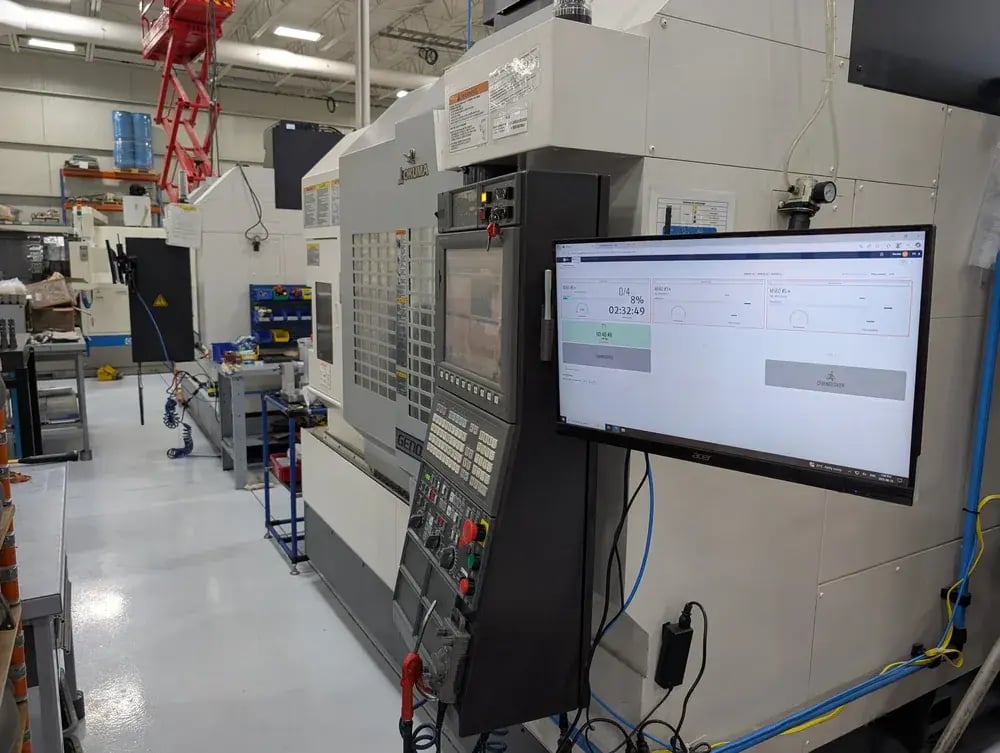
See how JITbase applies the NF E 60-182 standard. OEE, OOE and TEEP calculated automatically from real machine and operator data.
Discover standardized OEEFrequently Asked Questions
How do you calculate OEE?
OEE is calculated by multiplying three ratios: Availability, Performance and Quality. Availability is run time divided by planned production time. Performance is the ideal cycle time multiplied by the total parts produced, divided by run time. Quality is good parts divided by total parts.
With 480 minutes planned, 60 minutes of downtime, a 4-minute ideal cycle, 90 parts and 86 good parts, availability is 87.5%, performance is 85.7% and quality is 95.6%, so OEE is 71.7%. The calculator on this page does the same arithmetic as you type and shows which of the three factors is the weakest.
What is a good OEE score for a CNC shop?
A score of 85% is the figure most often quoted as world-class, and it is a useful landmark. It is not a target that fits every shop, because high-mix job shops with frequent setups lose more time to changeovers than dedicated production lines, and the result depends on how stops are classified.
The most reliable benchmark is your own history. Measure each machine the same way for several weeks, then follow the trend and the weakest factor. A steady improvement on the same definition tells you more than a comparison with another plant.
Should planned stops count as downtime in OEE?
Breaks and meetings that you scheduled are normally removed from planned production time, so they do not reduce OEE. Setups, changeovers, waiting and breakdowns are different: this calculator counts them as downtime inside the planned time, which shows the real cost of changeovers.
Some companies treat setups as planned stops and exclude them. Both conventions work as long as you apply the same one every time. The NF E 60-182 standard formalizes this by defining several indicators on different time bases: TEEP on total time, OOE on operating time and OEE on required time.
Where do I find the ideal cycle time?
The ideal cycle time is the fastest time per part that the machine can sustain without hurting quality. It comes from process engineering data, from the best stable cycles you have recorded, or from the CNC program itself. An average of recent runs is a poor choice, because it already contains the slow cycles you are trying to measure.
For CNC machines, you can estimate it from the G-code and then validate it against real cycles. JITbase can also learn standard times from your programs automatically, so the ideal cycle time does not have to be maintained by hand.
Can OEE help with predictive maintenance?
OEE alone cannot predict a specific failure, but its trend is a useful early signal. A slow drift in performance, a growing number of short stops or a scrap spike after a tool change can point to a worn tool, a degrading axis or an unstable setup before a major breakdown.
To go further, combine OEE with alarms, stop reasons and your maintenance history. JITbase provides the machine and operator data for that analysis, and your maintenance team decides what to do with it. Dedicated condition monitoring with sensors remains a separate layer.
Ready to measure OEE on real machine data? Connect your first CNC machines for free and see availability, performance and quality live.
Connect your machines for free