Introduction
In today’s fast-paced and demanding business environment, efficient planning has become a fundamental requirement for any organization that aims to stay competitive. A planning tool is no longer just a convenience, it is a strategic asset that enables teams to coordinate their work, anticipate challenges, optimize resources, and maintain operational clarity.
Modern planning software goes far beyond traditional task lists and spreadsheets. It centralizes information, synchronizes updates in real time, structures collaboration, and provides complete visibility of work progress and resource availability. Whether you manage operational teams, production workflows, administrative departments, or multi-project environments, a planning tool can radically transform how work is organized and executed.
This guide explains why planning tools matter, which features have the highest impact, and how these solutions help organizations work smarter, faster, and with more consistency.
A- Why You Should Use a Planning Tool
Manual planning using Excel files, emails, shared folders, or whiteboards, quickly reaches its limits. These outdated methods cause delays, misunderstandings, duplicated work, and a lack of visibility. Planning software solves these issues through automation, real-time updates, and centralized communication.
1. Save Time Through Automation
Teams often underestimate how much time they waste updating spreadsheets, modifying deadlines manually, preparing reports, or coordinating changes across multiple tools. These repetitive tasks create:
- inconsistencies
- unnecessary meetings
- scattered information
- costly errors
- slower reaction times
A planning tool automates much of this administrative work. It allows teams to:
- automatically update task statuses and deadlines
- centralize all project data in a single platform
- synchronize every change in real time
- automate reminders and notifications
- track progress without manual reporting
By eliminating low-value administrative tasks, teams can focus on what truly matters: analysis, problem-solving, customer support, and improvement initiatives.
2. Real-Time Visibility Across All Activities
A modern planning tool gives managers and teams complete visibility of:
- project progress
- individual responsibilities
- task dependencies
- workload distribution
- resource availability
- deadlines and milestones
This visibility helps teams anticipate issues rather than discover them too late. Managers can immediately identify:
- tasks falling behind
- overloaded employees
- resource conflicts
- gaps in capacity
- upcoming risks
Teams are no longer working blindly; they know what to do, when to do it, and how their work fits into the overall plan.
3. Improved Collaboration and Communication
Planning tools reduce the chaos of scattered information. Instead of searching through emails, group chats, or old files, teams work within a single shared workspace.
These platforms typically include:
- shared documents and file attachments
- comment threads linked to tasks
- tagging and mentions
- activity history
- integrated chat or communication tools
- real-time notifications
This centralization allows teams to stay aligned, reduces misunderstandings, and prevents delays caused by missing or outdated information.
B- Key Features of an Effective Planning Tool
Not all planning tools are equal. The most effective ones include several essential features that improve productivity and coordination at every level.
1. Smart Task Management
A robust planning tool supports clear, structured task management by allowing teams to:
- create, assign, and prioritize tasks
- define dependencies and milestones
- add deadlines and sub-tasks
- track progress step by step
- automate notifications and reminders
This avoids forgotten tasks, unclear priorities, and inefficiency.
2. Advanced Project Planning and Visualization
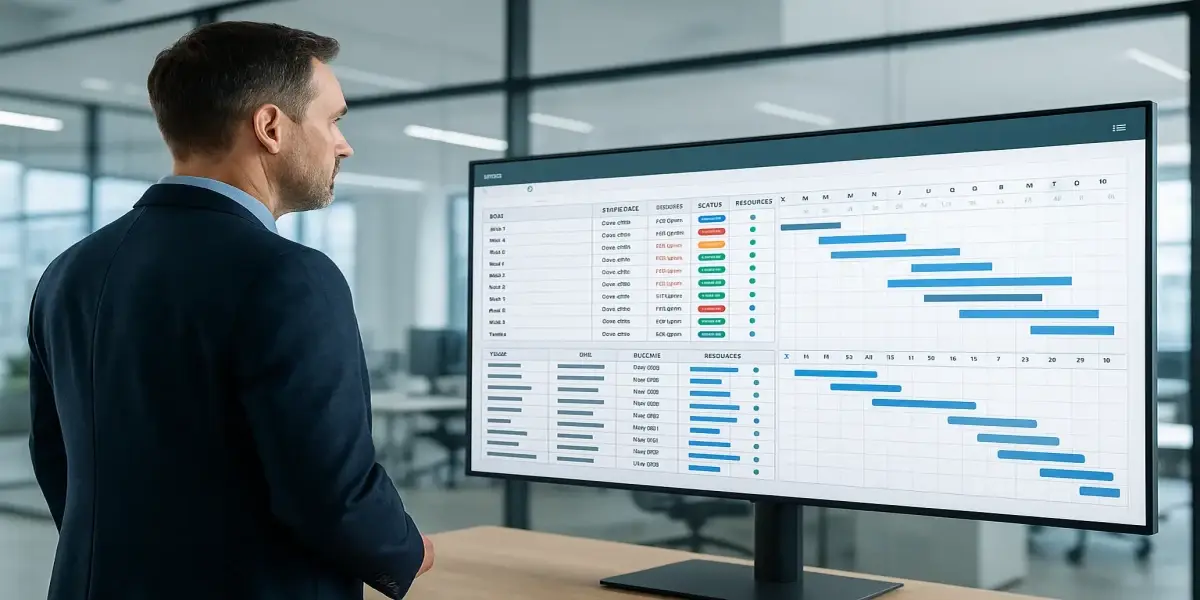
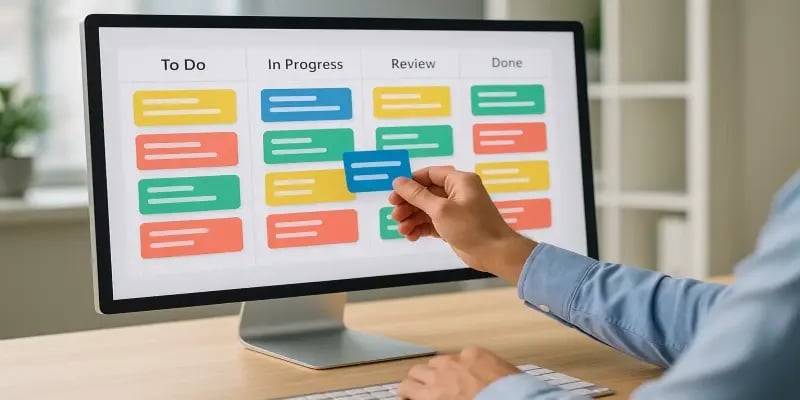
One of the biggest advantages of modern planning software is the ability to visualize work in multiple formats:
- Kanban boards for workflow visualization
- Gantt charts for deadlines and dependencies
- calendars for time-based planning
- timelines for high-level views of complex projects
- workload charts for balancing resource capacity
Teams can switch between these views to manage both day-to-day operations and long-term planning.
3. Resource Management: A Strategic Advantage
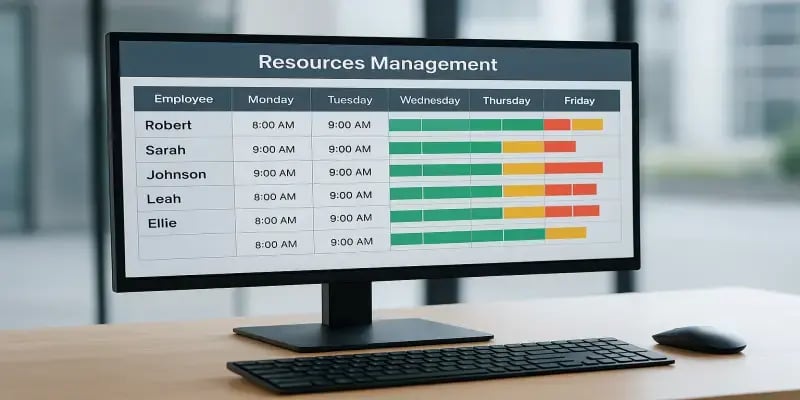
Resource management is a fundamental component of organizational performance. A planning tool helps teams manage:
- employee availability
- skill sets
- absences and vacations
- equipment allocation
- workload limits
- capacity constraints
- last-minute changes
Assigning the right person to the right task at the right time maximizes productivity and reduces stress and overloaded schedules. Managers gain a realistic overview of constraints, enabling them to prevent burnout and optimize utilization.
4. Integrations and Centralized Collaboration
Planning tools often integrate with:
- messaging applications (Slack, Teams)
- cloud storage (Google Drive, SharePoint)
- production monitoring systems
- ERP systems
- manufacturing scheduling software
- labor management systems
These integrations reduce duplication, eliminate inconsistent data, and ensure that planning stays aligned with real operations.
5. Performance Tracking and Reporting
Tracking performance is essential for continuous improvement. Planning tools provide dashboards and KPIs that highlight:
- workflow bottlenecks
- recurring delays
- task duration trends
- resource usage
- time spent on activities
- project success rates
These insights support strategic decision-making and help teams adjust priorities, processes, and staffing levels.
C- Benefits of Using Planning Software
Planning software delivers measurable, long-term benefits for organizations seeking to improve operational efficiency, coordination, and performance.
1. Increased Performance and Reduced Stress
A planning tool creates a structured work environment where teams have:
- clarity on responsibilities
- a well-defined sequence of tasks
- visibility of deadlines and priorities
- a predictable workflow
- access to updated information at all times
This clarity reduces confusion and eliminates the constant “firefighting” associated with poor planning. Teams spend less time searching for information and more time executing tasks that deliver value.
With fewer surprises and more control over their workload, employees experience lower stress levels and increased satisfaction.
2. Better Control Over Deadlines and Deliverables
A planning tool provides a real-time overview of:
- schedules
- task dependencies
- progress
- potential conflicts
- workload imbalances
This allows managers to:
- detect delays early
- reassign resources
- adjust priorities
- prevent bottlenecks
- keep projects aligned with their milestones
Instead of reacting at the last minute, teams can act proactively, ensuring smoother execution and more reliable timelines.
3. Data-Driven Decision Making
Planning tools collect data that helps managers understand how work is executed. Dashboards and performance metrics reveal:
- which tasks take the most time
- where inefficiencies occur
- which teams or individuals are overloaded
- productivity trends over time
- which workflows consistently create delays
- opportunities for improvement
This analytical perspective allows leaders to make smarter decisions regarding staffing, workload distribution, process reform, training investments, and operational planning.
Planning software therefore becomes an essential foundation for continuous improvement and strategic alignment.
D- How to Choose the Right Planning Tool
When selecting a planning tool, consider:
- size and structure of your team
- complexity of your projects
- resource management needs
- required integrations
- automation options
- security features
- budget
Trying a few options through free trials helps determine which tool fits best.
E- How Planning Tools Benefit Teams
Teams using planning tools experience:
- better coordination
- less stress
- clearer priorities
- reduced meeting time
- more autonomy
- smoother collaboration
- higher productivity
When expectations are clear and information is accessible, performance improves naturally.
Conclusion
A planning tool is much more than a scheduling assistant—it is a strategic enabler that enhances coordination, strengthens resource management, reduces errors, and gives organizations the visibility they need to perform at a high level.
Companies that adopt modern planning software achieve better outcomes, faster execution, and improved team engagement.