TL;DR:
-
Real-time monitoring means your machines report what they're doing (running, stopped, making parts) as it happens, instead of you finding out at the end of the shift.
-
You don't need to track everything on day one. Start with 2 to 3 machines and two or three simple signals, then expand once you trust the data.
-
A realistic first pilot takes about 30 days and costs far less than most shop owners expect, especially if you start small and prove value before scaling up.
If you run a CNC shop, you've probably heard the term "real-time monitoring" thrown around, often wrapped in jargon about sensors, protocols, and dashboards. This guide skips that. It's written for shop owners and managers who want a plain-language starting point: what it actually means, why it's worth doing, and the concrete steps to run a first pilot without overhauling your whole operation.
What Real-Time Monitoring Means (In Plain Language)
Real-time monitoring is a simple idea: instead of a supervisor walking the floor to check on machines, or an operator filling out a paper log at the end of the day, the machine itself reports what it's doing as it happens. Is it running? Is it stopped? How many parts has it made this hour?
Think of it like the dashboard in a car. You don't wait until you get home to find out you're low on fuel. The gauge tells you right now, while you can still do something about it. Real-time monitoring works the same way on a CNC machine: it tells you the moment something needs attention, not hours later in a production meeting.
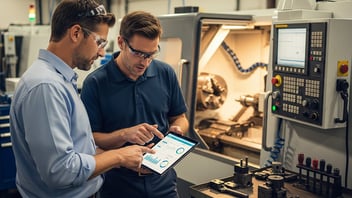
In practice, this usually means a small device or a piece of software connected to your machine's control, picking up basic signals like spindle on or off, which program is running, and how many parts have been completed. That information shows up on a screen, a tablet, or a simple report.
Why It Matters for a Small CNC Shop
You don't need a large plant to benefit from this. Small and mid-size shops often gain the most, because every idle minute on a machine is harder to absorb when you have fewer machines and fewer people to cover for each other.
Here's what changes in practice:
-
You catch stops faster. If a machine has been sitting idle for 20 minutes, someone can walk over and check, instead of finding out at the end of the day.
-
You stop guessing at your numbers. Instead of estimating how busy a machine was, you have an actual count. This feeds directly into OEE tracking, which becomes far more accurate once it's based on real signals instead of memory.
-
Your schedule gets more reliable. When you know how long jobs actually take instead of how long they were supposed to take, planning the next day's work gets easier. This is explained in more detail in our guide on how real-time data improves scheduling.
-
You spend less time on paperwork. Paper logs and end-of-shift spreadsheets take time to fill out and are often wrong, simply because people forget details after a long shift.
Not sure where your shop stands today? See how JITbase turns your machine signals into a simple, live view of production, without any manual data entry.
See Machine MonitoringThe 4 Steps to Get Started
You don't need a big project plan to begin. Here is a simple path that works for most small shops.
Step 1: Pick 2 to 3 Machines to Start With
Don't try to connect your whole shop on day one. Pick the machines that matter most, usually the ones that cause the most delays when they stop unexpectedly, or the ones running your highest-volume jobs. Starting small keeps the project manageable and gives you a clear result to look at before deciding whether to expand.
Step 2: Decide What to Track First
You don't need to track every possible signal. Start with the basics:
-
Is the machine running or stopped?
-
Which program or job is it running?
-
How many parts has it made?
These three simple signals already answer most of the questions shop owners ask day to day. Once your team is comfortable, you can add more, like tracking how long each job actually takes compared to what the program predicted. For a practical walkthrough on that step, see our guide to extracting cycle times from your CNC programs.
Want to see this in action first? JITbase shows live status, part counts, and stop reasons on a tablet right next to the machine, no spreadsheets required.
See Production MonitoringStep 3: Set a Realistic Budget and Timeline
A small pilot on 2 to 3 machines is usually affordable and can be running within a few weeks. It doesn't require rewiring your shop or shutting machines down for days. Treat the first month as a test, not a full rollout. The goal is to answer one question: does this give us information we can actually use?
Step 4: Review Results After 30 Days
After about a month, sit down with your team and look at the numbers. Are the stop reasons useful? Is the data close to what your operators experienced on the floor? This is also a good moment to look at operator workload, not just machine status. Our operator workload guide covers what to track once machine monitoring is stable and you want a fuller picture of your shop.
Mistakes to Avoid When You're Just Starting Out
-
Trying to track everything at once. More signals means more noise, and it becomes harder to tell which alerts actually matter. Start small and add over time.
-
Trusting program times without checking them. A CNC program often estimates a cycle time that doesn't match reality, because it doesn't account for loading parts, tool changes, or small pauses. Compare estimated and actual times before you rely on them for scheduling or quoting.
-
Skipping your team. If operators don't understand why the data is being collected, adoption suffers. A five-minute explanation up front (this helps us catch problems faster, not to check up on you) goes a long way.
Once your pilot is stable and your team trusts the data, you may want to go further: connecting monitoring data directly to your ERP or MES system, or building a live dashboard for the whole shop. Those are bigger projects, and we cover them separately in our guides on implementing real-time OEE dashboards and our ERP/MES integration guide.
Curious what a pilot could save your shop? Get a simple, no-pressure estimate of the return you could see from real-time monitoring.
Estimate Your ROIThe Bottom Line
Real-time monitoring doesn't have to be complicated or expensive to get right. Start with two or three machines, track the basics, and give it 30 days before deciding what comes next. Most shops that take this approach end up wondering why they waited so long to start.
Frequently Asked Questions
Do I need new machines to use real-time monitoring?
No. Most monitoring solutions can connect to machines you already own, including older controls that were installed years before real-time monitoring existed. If your machine has a digital control, a small device usually connects directly to it. If it's an older analog machine without that option, a simple sensor on the spindle or an indicator light can capture the basics instead. Either way, you rarely need to replace equipment or buy new CNC machines just to get started.
How long does a first pilot usually take?
Most small shops can have a 2 to 3 machine pilot up and running within a few weeks, since it typically just means connecting a device or sensor and confirming the data looks right. From there, plan on about 30 days of actual production before you have enough data to draw real conclusions. Shorter than that, and you're mostly looking at noise from a few unusual days rather than your normal routine.
Will this replace my operators?
No. Real-time monitoring gives your team better information, faster, but it doesn't run the machines or make decisions on its own. Operators still load parts, inspect quality, troubleshoot issues, and make the judgment calls that keep production moving. What changes is that supervisors and operators spend less time guessing what's happening on the floor and more time acting on it.
What should I track first?
Start with three basics: whether the machine is running or stopped, which job or program it's currently running, and how many parts it has completed. Together, these three signals already answer most of the questions a shop owner or supervisor asks throughout the day, like whether a machine is behind schedule or sitting idle without a good reason. Once your team trusts this data, you can layer on more advanced signals like alarm codes or detailed cycle time comparisons.
Related Articles