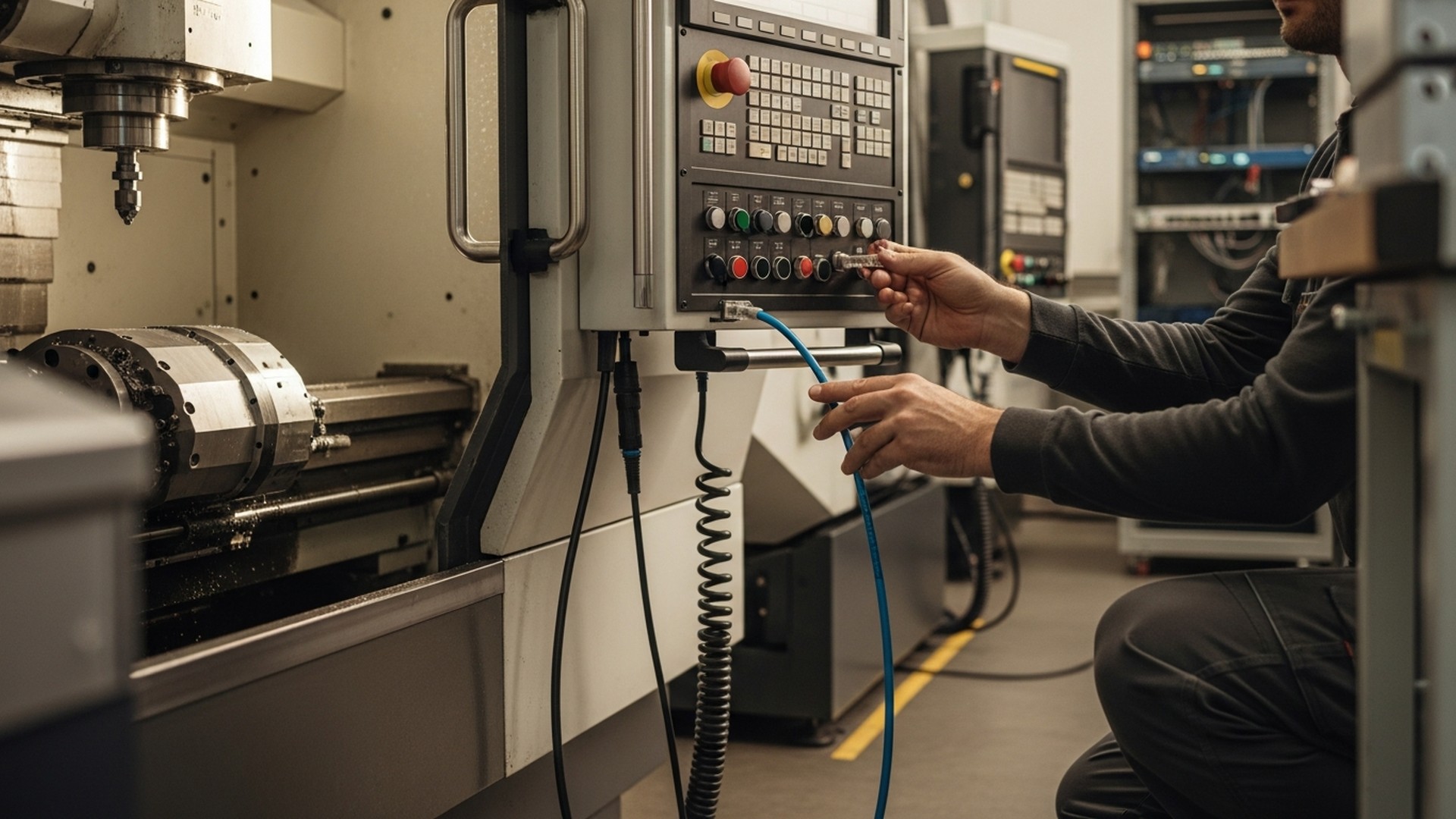
Most shop floor integration projects fail not during installation, but at go-live — when teams discover that machine-derived counts differ from ERP records, cycle times are off by 15%, and dashboards show OEE numbers nobody trusts. The missing piece is almost never the connector. It is a validated acceptance standard: a set of measurable thresholds that tell you, unambiguously, when your integration is reliable enough to replace manual logs. This checklist walks CNC shop operations managers and IT leads through every validation gate — from canonical data model and protocol selection to side-by-side pilot rules and go-live acceptance criteria — so the decision to cut manual reporting is data-driven, not a guess.
TL;DR:
-
Define acceptance thresholds before connecting anything: cycle-time variance within ±2–5% of manual timing, event completeness above 98%, and WIP reconciliation within ±2% per shift.
-
Build a canonical data model with ISO 8601 UTC timestamps and a field naming convention before writing any connector logic — it prevents the majority of downstream reconciliation failures.
-
Run a 2–4 week side-by-side pilot on 2–5 machines, measure against thresholds daily, and only cut manual logs when all four acceptance metrics — cycle time variance, event completeness, WIP count reconciliation, and false positive rate — pass simultaneously for five consecutive shifts.
Section 1: Pre-Integration Checklist — Ten Gates Before Connecting Anything
Skipping prerequisite validation is the single most common reason pilot timelines slip by weeks. Complete every item below before commissioning any connector or edge gateway. Each item maps to a failure mode that derails pilots at the worst possible moment.
- Machine and control inventory complete — For each CNC, record control brand (Fanuc, Siemens, Heidenhain, Mitsubishi), firmware version, and available interfaces (MTConnect adapter, OPC UA server, Ethernet/IP, RS-232, FOCAS API, DNC port). This determines which protocol path is available without hardware modification.
- OT network segment created — Machine telemetry must live on a dedicated VLAN isolated from the IT network. Confirm switch ports are reserved, bandwidth is allocated (minimum 128–256 kbps sustained per machine for basic event telemetry), and firewall rules restrict outbound connections to the analytics or MES endpoint only.
- Edge gateway hardware on hand — If controllers lack a software interface (MTConnect, OPC UA), an edge gateway performing protocol translation must be installed and powered before any mapping work begins. Confirm PoE availability or local power supply.
- NTP clock sync verified on all devices — Confirm that each CNC controller, edge gateway, and MES/ERP server references the same NTP server and outputs UTC timestamps. A 1-second clock drift between gateway and cloud can split a single cycle event into two records, corrupting cycle-time calculations.
- ERP/MES API credentials and sandbox access confirmed — Obtain read/write API credentials for a sandbox environment before pilot start. Never test write-back logic in production ERP.
- Authoritative source defined for each field — Decide and document which system owns each data field before writing any connector. Example: ERP owns work order ID and scheduled quantity; machine owns cycle start/stop timestamps and part count; operator owns scrap reason codes. Ambiguity here causes reconciliation conflicts at go-live.
- Safety sign-off obtained — Any physical access to CNC controls or PLC wiring requires lockout/tagout sign-off from the shop lead or maintenance technician. Document this before touching hardware.
- Pilot machine list finalized — Select 2–5 machines that cover your most common control types and at least one high-mix and one high-volume part family. Avoid using prototype or rarely-run machines for the pilot — the statistical sample will be too small.
- Manual log baseline established — Collect two weeks of manual start/stop times, part counts, and operator notes for the pilot machines before connecting telemetry. This is your reference dataset for side-by-side comparison.
- Rollback criteria defined — State explicitly what will trigger a rollback to manual logging: for example, data completeness dropping below 90% for three consecutive shifts, or more than five unmatched events per day. Write it down and communicate it to operators before the pilot begins.
Connect your CNC machines without modifying controllers or stopping production
JITbase edge devices read machine signals in read-only mode — no controller changes, no production stops. Get validated OEE, cycle time, and part count data from day one of your pilot.
See how JITbase connects CNC machines → Section 2: Canonical Data Model and Field Naming Convention
The canonical data model is the single most important document you will produce during an integration project. It defines every field that flows from machine to analytics layer, its unit, its authoritative source, and an example value. Without it, every team member builds slightly different assumptions into their code, and reconciliation failures accumulate until go-live becomes a fire drill.
Implement the canonical model as a versioned CSV or database table — not a slide deck. Version-control it alongside connector code so that changes to field definitions are traceable.
Minimum Required Fields
| Field name | Unit / type | Authoritative source | Sample value |
|---|---|---|---|
| machine_id | string | Edge gateway config | CNC-101 |
| program_id | string | CNC controller | PRG_A123_v2 |
| event_type | enum | CNC controller / gateway | program_start |
| timestamp_utc | ISO 8601 | Gateway (NTP-synced) | 2026-06-01T14:12:03Z |
| part_count | integer | PLC counter | 125 |
| good_count | integer | PLC counter or operator | 123 |
| scrap_count | integer | Operator input | 2 |
| ideal_cycle_seconds | float | G-code extraction or CAM | 187.4 |
| actual_cycle_seconds | float | Gateway (program_end minus program_start) | 193.1 |
| spindle_on | boolean | CNC controller | true |
| shift_id | string | Scheduling system or MES | SHIFT_A_2026-06-01 |
| work_order_id | string | ERP | WO-20260601-447 |
| operator_id | string | HMI login or badge scan | OP-042 |
| reason_code | enum | Operator input | TOOLING |
Naming Rules to Enforce
- All timestamps in UTC, ISO 8601 format — never local time, never Unix epoch without documentation. A single timezone mismatch between gateway and ERP shifts every cycle event by hours, making shift-level reconciliation impossible.
- Program ID normalization — Strip operator-added suffixes and timestamps from program names before storing (e.g.,
PRG_A123_JD_20260601normalizes toPRG_A123). Implement this as a transformation rule in the ETL layer, not in connector code. - Enum values locked at design time — Define event_type values (program_start, program_end, spindle_on, tool_change, alarm, idle) and reason_code values (TOOLING, SETUP, MATERIAL, OPERATOR, MAINTENANCE, QUALITY, UNKNOWN) before pilot start. Adding values mid-pilot breaks existing reconciliation queries.
- Null vs zero distinction — A
scrap_countof 0 means confirmed zero scraps. A null means the field was not reported. Treat these differently in OEE quality calculations — null should not be counted as a good part.
For methods to derive ideal_cycle_seconds from CNC programs rather than estimating, see the guides on extracting cycle times from CNC programs and the G-code cycle time workflow. Accurate ideal cycle times are the foundation of a reliable Performance component in OEE — a 10% error in this field cascades directly into every Performance KPI.
Section 3: Protocol Selection Decision Grid
Protocol choice is determined by what the controller can output, not by what analytics platforms prefer. The following grid maps control types to practical protocol paths. For each path, the table shows data fidelity, implementation effort, and the key limitation to plan around.
| Control type | Recommended protocol | Data fidelity | Effort | Key limitation |
|---|---|---|---|---|
| Fanuc (18i, 30i, 31i, 32i) | FOCAS2 API via edge gateway | High — program name, part count, alarms, axis data | Medium | Requires FOCAS license on some models; check firmware version |
| Siemens (840D, 828D) | OPC UA server (built-in on 840D sl) | High — full machine state, program, spindle, alarms | Low–Medium | OPC UA namespace varies by machine builder; requires address mapping |
| Heidenhain (TNC 640, 530) | DNC/LSV2 or OPC UA (TNC 640) | Medium — program name, part count, runtime | Medium | LSV2 is serial/Ethernet; limited alarm detail vs OPC UA |
| Mitsubishi (M70, M80, M800) | MELSC API or OPC UA (M800) | Medium–High | Medium | MELSC library requires vendor SDK; M800 OPC UA preferred when available |
| Legacy CNC (RS-232, no network) | Edge gateway with I/O tap + MQTT | Low–Medium — spindle-on, cycle start/stop via discrete signals | Low hardware, medium config | No program ID; part count requires PLC counter or sensor |
| Any modern control with MTConnect adapter | MTConnect XML stream | Medium — standardized but adapter-dependent | Low | MTConnect adapters vary in quality; validate data completeness before trusting |
| PLC-driven lines (Rockwell, Beckhoff) | OPC UA or Ethernet/IP | High for discrete signals; limited program context | Medium | Requires PLC tag mapping; no native CNC program awareness |
Transport Layer Decision
- MQTT over TLS — Use for high-volume event streaming from edge to cloud. Lightweight, broker-based, handles intermittent connectivity well. Require QoS level 1 (at-least-once delivery) minimum for production data.
- OPC UA — Use for direct machine reads where real-time bidirectional communication is needed. Supports certificate-based security natively. Preferred over MQTT for low-latency local MES integration.
- REST/HTTPS batch — Use for ERP write-backs where near-real-time is sufficient (5–15 minute batches). Simpler to implement and debug than streaming for order status updates.
Edge Buffering Requirements
Every edge gateway must implement store-and-forward buffering sized for your expected outage window. For most CNC shops, a 24–72 hour local buffer prevents data loss during network outages, shift changes, or cloud maintenance windows. At typical event volumes of 1,000–10,000 messages per machine per day, a 72-hour buffer for 10 machines requires approximately 300–3,000 MB of local storage — well within standard industrial PC capacity. For practical connector patterns by control type, see the internal guide on CNC data integration with ERP/MES. For cloud vs on-premise architecture trade-offs affecting buffer and latency design, see cloud vs on-premise MES for WIP visibility.
Track production in real time — from machine signal to ERP update
JITbase captures cycle events, part counts, and downtime reasons across Fanuc, Siemens, Heidenhain, and legacy CNCs — then synchronizes validated data with your ERP/MES without manual entry.
Explore JITbase production monitoring → Section 4: Acceptance Thresholds — The Numbers That Define "Reliable"
This is the section most integration guides omit. Defining acceptance thresholds before the pilot starts is what separates a validated go-live from a perpetual "almost ready" state. Set these numbers with your production planner and shop manager before connecting the first machine — not after seeing the data.
Cycle Time Variance
- Target: ±2% average variance vs manual stopwatch records for stable, repeatable programs (same part family, same operator, same shift).
- Acceptable ceiling: ±5% for complex multi-operation parts where operator loading and unloading time varies between cycles.
- Action if exceeded: investigate event mapping first — the most common cause is counting spindle-on time instead of program start/stop time, which excludes tool changes and dwell commands from the cycle. See the G-code cycle time workflow for extraction methods that capture the full cycle including non-cutting moves.
- Document exceptions: any operation with consistent operator-dependent steps (inspection, deburring, part flipping) should have those steps measured separately and added to the standard time rather than forcing the machine signal to absorb them.
Event Completeness
- Target: greater than 98% of expected cycle events timestamped and received during each pilot shift.
- How to measure: divide received events by expected events (derived from manual log cycle count). Flag any shift where completeness drops below 95% for immediate investigation.
- Common causes of low completeness: network dropout between gateway and cloud (add buffering), controller not outputting program_end on alarm (add alarm-state handling), gateway reboot clearing buffer (configure persistent local storage).
- Do not average completeness across shifts — a week-average of 97% can hide three shifts at 88% and four shifts at 100%. Track per-shift and per-machine.
WIP Count Reconciliation
- Target: machine-derived part count within ±2 parts or ±2% of ERP production receipts (whichever is greater) per shift.
- Acceptable ceiling: ±5% for high-mix jobs where scrap and rework handling introduces legitimate counting differences between machine and ERP.
- Action if exceeded: pull raw event stream for that shift and compare program_start count to part_count increments. The most common mismatch source is a debounce threshold set too low, causing double-counts on short cycles, or a PLC counter that resets at shift change without a gateway-side capture of the final value.
Latency
- Near-real-time OEE dashboards: target event-to-dashboard latency under 30 seconds end-to-end (controller to cloud to UI).
- ERP write-backs: batch every 5–15 minutes — sufficient for order status and production confirmation while reducing API load on ERP systems with rate limits.
- Latency above 5 minutes for dashboards makes shift-level alerts ineffective — operators cannot respond to a stoppage that the system reports 6 minutes after it occurred.
Reconciliation False Positive Rate
- Target: fewer than 1% of reconciliation checks flagged as mismatches per week once mapping rules are stable.
- A false positive is a mismatch that investigation reveals is caused by a mapping rule error rather than a real production discrepancy. High false-positive rates erode operator trust in the system faster than any other failure mode.
Go-Live Gate
Authorize cutting manual logs only when all four metrics pass simultaneously for five consecutive shifts across all pilot machines. A single metric failing restarts the five-shift count. This rule sounds strict but it prevents the common failure mode of going live after three good shifts and discovering a systematic error on shift four.
For security requirements that must be in place before go-live — TLS transport, certificate management, OT VLAN firewall rules — see the secure streaming data checklist.
Section 5: Side-by-Side Pilot Plan — Weeks 1 to 4
The side-by-side pilot is the period during which machine telemetry and manual logs run in parallel. Its purpose is not to validate the technology — it is to validate the data model, the mapping rules, and the acceptance thresholds against real production conditions on your specific machines.
Week 1 — Baseline and Connection
- Install edge gateways and confirm connectivity for all pilot machines. Do not start mapping until NTP sync is verified on all devices.
- Run telemetry collection in read-only mode — no ERP write-backs yet. Log all raw events to a staging area for inspection.
- Continue manual logging exactly as before. Operators should not change their behavior in any way during this week.
- At end of week 1: verify event completeness above 95% for each machine. If any machine is below 90%, investigate before proceeding.
Week 2 — Mapping and First Comparison
- Apply program ID normalization rules and map machine events to work order IDs from ERP.
- Run first side-by-side comparison: pull machine cycle times and part counts for each shift and compare against manual logs. Calculate variance for each metric.
- Document every discrepancy with a root cause. Most week-2 discrepancies trace to one of four sources: clock skew, program name mismatch, debounce threshold, or operator-added steps not captured by machine signals.
- Refine mapping rules. Do not adjust acceptance thresholds to fit the data — fix the mapping.
Weeks 3 and 4 — Validation and Go/No-Go
- Enable ERP write-backs in sandbox environment. Verify that part_complete events update work order quantities correctly and that job_complete events trigger the right ERP status transitions.
- Run daily metric checks against all four acceptance thresholds. Log results in a simple tracker visible to both the production planner and IT lead.
- At end of week 4: apply the five-consecutive-shift go-live gate. If passed on all pilot machines, authorize go-live for those machines. Extend pilot by two weeks if any machine fails.
For a playbook on connecting monitoring streams to ERP/MES systems at the integration architecture level, see the ERP/MES integration playbook. For WIP tracking concepts and reconciliation approaches, see WIP and production monitoring. To reduce operator manual interventions after go-live, see the checklist for automating operator workload tracking.
Section 6: Top 7 Integration Failures and Diagnostic Matrix
Every failure below has been observed in CNC shop integrations. The diagnostic column gives the fastest path to root cause — start there before escalating to vendors.
| # | Failure | Symptom | Diagnostic | Fix |
|---|---|---|---|---|
| 1 | Mismatched program names | Work order mapping fails for 20–40% of cycles | Compare raw program_id values to ERP program master — list all unmatched strings | Implement normalization rules in ETL; strip timestamps, suffixes, and operator initials |
| 2 | Unsynchronized clocks | Cycle events appear before program_start or after program_end; shift totals misalign | Compare gateway timestamp to NTP reference over 24 hours; measure drift | Force NTP sync on all devices; use UTC exclusively; add clock-drift alert to monitoring |
| 3 | Data loss on network outages | Completeness drops to 60–80% during shift changes or morning network restarts | Check gateway buffer log for entries during outage window; confirm store-and-forward is enabled | Size buffer for 72-hour coverage; test store-and-forward by simulating a 4-hour network disconnect |
| 4 | Double-counted parts | Machine part count exceeds ERP receipts by 5–15% on short-cycle jobs | Pull raw part_count events for one shift; look for increments within 1–2 seconds of each other | Increase debounce threshold on part-count signal; validate against known batch size |
| 5 | Cycle time inflated by idle spindle | Performance OEE component shows 110–130% — physically impossible | Compare actual_cycle_seconds to spindle_on duration; if spindle_on is shorter, event boundaries are wrong | Use program_start/program_end events as cycle boundaries, not spindle_on/spindle_off |
| 6 | Too many KPIs tracked simultaneously | Pilot expands scope weekly; mapping rules multiply; team loses focus | Count the number of KPIs being validated — if above 5, scope has drifted | Freeze pilot scope to OEE components, cycle time, and part count; add KPIs only after go-live |
| 7 | ERP write-back creates duplicate orders | ERP shows two confirmations for the same production run | Check idempotency keys on write-back API calls; look for retry logic that fires twice on timeout | Implement idempotency keys on all ERP writes; use last-write-wins with timestamp comparison for duplicates |
Escalation Path
When diagnostic steps above do not resolve the issue within one shift, escalate in this order: shop lead (production impact assessment) → IT or integration consultant (network and API issues) → MES vendor (data model and API behavior) → CNC control vendor or gateway vendor (controller-specific signal behavior). For additional diagnostic patterns on secure transport failures and certificate issues, see secure streaming data. For sensor vs scanning trade-offs that affect event reliability upstream, see IoT sensors vs manual scanning.
Calculate the ROI of your shop floor integration project
Use our ROI calculator to quantify the gains from eliminating manual logs, reducing reconciliation errors, and automating OEE reporting — and build a business case your leadership will approve.
Calculate my ROI → The Bottom Line
Shop floor integration is reliable when you can measure its reliability — not when the connector is installed. Define acceptance thresholds before the pilot, build a canonical data model with locked naming conventions, choose protocols based on what your controllers actually output, and run a strict side-by-side validation before cutting manual logs. The five-consecutive-shift go-live gate is the difference between a dashboard your production planner trusts and one that gets ignored after two weeks.
Frequently Asked Questions
How long does a pilot need to run before the data is reliable?
Plan for 2–4 weeks covering multiple shifts and at least 30 complete cycles per program per pilot machine. For stable, high-volume parts you may see reliable results in one week. For high-mix shops with frequent program changes, expect the longer end of the range. Do not go live based on a single shift of clean data — systematic errors from clock drift or debounce settings often only appear after shift changes or multi-day production runs.
What if my CNC controller does not support OPC UA or MTConnect?
Legacy controls with RS-232 or no network interface require an edge gateway that reads discrete PLC signals — spindle-on current, a door sensor, or a part-counter pulse — and translates them into structured events. This approach gives lower data fidelity (no program ID, limited alarm context) but is sufficient for Availability and basic part count tracking. Validate gateway buffer sizes against your expected outage windows and confirm secure certificate-based connections where supported. For practical connector patterns by control type, see the CNC data integration guide.
How do we handle program name changes without breaking work order mapping?
Implement a program-to-part mapping table in your ETL layer with normalization rules that strip operator-added suffixes, timestamps, and revision markers before storing the program_id. Allow operators to confirm mappings on first run of a new program name, and save the confirmed association automatically. Track how often manual confirmations are required — a high rate signals that your normalization rules need refinement or that operators need guidance on program naming conventions. High-mix shops often see the biggest mapping reliability gains from a short naming standard (for example, six-character part prefix plus revision letter) that reduces variation at the source.
What is the most common reason integrations pass pilot but fail at plant-wide rollout?
The pilot machines are almost always the best-maintained, most consistently operated machines in the shop — chosen precisely because they are stable. Plant-wide rollout exposes machines with more variable operator behavior, older controllers with less reliable signal outputs, and network zones with different latency or outage patterns. Mitigate this by including at least one problematic or high-variability machine in the pilot scope, and by running one week of shadowed collection on each new machine group before enabling write-backs. Apply the same five-consecutive-shift go-live gate to each machine batch, not just to the first pilot group.
Related Articles