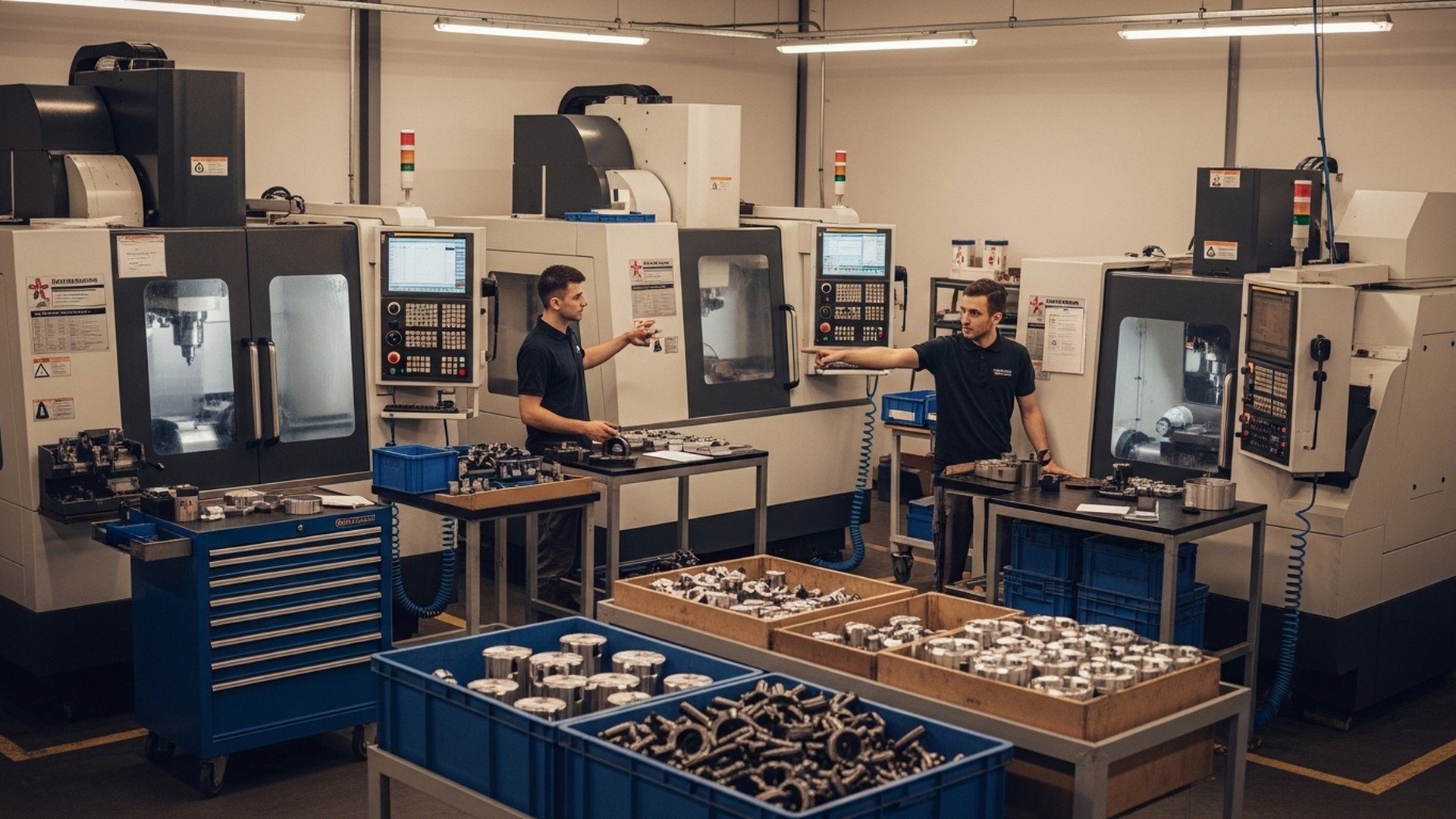
Effective shop-floor management is the practice of coordinating machines, people, materials, and data to deliver parts on time, with consistent quality and predictable costs. For small-to-medium CNC and contract manufacturers, shop-floor management directly affects throughput, lead time, and labor efficiency — yet many shops still rely on paper, spreadsheets, and manual observation. This guide explains how production monitoring and WIP tracking provide the real-time visibility and accurate cycle times shops need to boost utilization, reduce manual work, and integrate reliably with ERP/MES systems.
TL;DR:
-
Key takeaway 1: Implement non-intrusive production monitoring to reduce unplanned idle time by 10–25% and raise utilization from typical SMB ranges of 40–60% toward 60–75%.
-
Key takeaway 2: Track WIP with digital tags or machine-driven part counts and apply Little’s Law to cut lead time proportionally (WIP = throughput × lead time).
-
Key takeaway 3: Choose software that supports MTConnect/OPC UA, provides edge resilience, and offers ERP write-back options — pilot one cell and integrate incrementally.
What is shop-floor management and why does production monitoring matter?
Definition and scope for CNC and contract manufacturers
Shop-floor management for CNC and contract manufacturing shops covers scheduling, WIP control, machine status, operator assignment, and quality checkpoints that happen on the factory floor rather than in the office. It includes both human-led activities (operator station tasks, visual controls, kanban replenishment) and automated data capture (machine PLC/CNC status, spindle and axis activity). Industry frameworks such as OEE (overall equipment effectiveness), MES (manufacturing execution systems), ERP, CNC controllers, and PLCs are core vocabulary for these activities.
How production monitoring fits into shop-floor management
Production monitoring is the real-time capture and presentation of machine and process metrics: runtime, idle, parts produced, cycle time, and alarms. Research shows that manual reporting and spreadsheets introduce errors and latency — many SMB shops report 40–60% measured OEE and spend 20–40% of scheduled time on non-productive activities such as setups, adjustments, and reporting. Real-time monitoring narrows that visibility gap, enabling faster reaction to bottlenecks and fewer manual interventions. The U.S. Centers for Medicare & Medicaid Services’ production and monitoring lifecycle guidance provides a useful analogy for continuous measure lifecycle management: see the CMS manufacturing measure lifecycle explanation for how ongoing monitoring supports reliable decision-making mmshub.cms.gov.
Business outcomes: throughput, utilization, and labor efficiency
A practical outcome of running a monitored shop floor is measurable throughput improvement. Industry analyses, including factory-digitization studies, indicate that targeted monitoring and process changes can yield utilization gains of 10–25% depending on baseline maturity and adoption. Benefits include fewer expedited jobs, better floor-space utilization, and reduced overtime. Monitoring also uncovers recurring waste such as prolonged changeovers or high rework rates that directly reduce labor efficiency and throughput. For small shops constrained by hiring difficulties, improving machine uptime and reducing manual data entry are primary levers to scale output without increasing headcount.
How do you track WIP effectively on a busy shop floor?
WIP definitions and common tracking methods (kanban, barcode, RFID, digital tags)
Work-in-process (WIP) refers to parts and assemblies between process steps. Common tracking approaches range from physical kanban cards, barcode scanning at workstation handoffs, and RFID-tagged bins to automated machine-based counts using cycle-complete signals. Each method has trade-offs: kanban and visual controls are low-cost and resilient but limited in granularity; barcode/RFID improves traceability but adds handling steps; automated counting minimizes operator effort but needs reliable machine signal mapping (digital I/O, spindle-turn counts, or part-present sensors).
Designing a WIP flow: cells, queues, and visual controls
Design a WIP flow by organizing the floor into cells or process zones with controlled queues and visual signals. Use fixed-capacity buffer bins to limit WIP and make bottlenecks visible. Example: a three-machine cell might have a 10-part buffer between machine A and B. If cycle times are 6 min (A), 8 min (B), and 7 min (C), buffer sizing and operator loading should reflect the slowest step to avoid starvation or blocking. Visual controls (andons, kanban boards) combined with digital counters help operators see downstream demand and prioritize setup or fixture changes.
How to measure WIP impact on lead time and throughput
Little’s Law is the simplest, most useful relationship: WIP = throughput × lead time. If a cell produces 20 parts/day and average WIP is 40 parts, the average lead time through that cell is 2 days. Reducing WIP to 20 parts (same throughput) would reduce lead time to 1 day. Example calculation: a shop running 200 parts/week with WIP of 400 parts has a lead time of 2 weeks; cutting WIP by 25% shortens lead time proportionally. Track KPIs like WIP per order, WIP age distribution, and percentage of blocked WIP (waiting for tooling/materials). Spreadsheets are common for planning but struggle to maintain real-time WIP and handle concurrent edits — see the limits of Excel for shop planning and why digital tools replace manual synchronization (limits of Excel).
What exactly is production monitoring and which KPIs should you measure?
Core machine-level KPIs: runtime, idle, cycle time, OEE
Production monitoring is the automated capture of machine states and events to calculate machine-level KPIs. Core metrics include:
-
Runtime: time machine is cutting or in a productive cycle.
-
Idle: time machine is powered but not producing (tool changes, setups, waiting for program).
-
Cycle time: measured time per part including cutting and handled machine motions.
-
OEE: availability × performance × quality; availability = runtime / scheduled time, performance = ideal cycle time / actual cycle time, quality = good parts / total parts. Target bands for SMB CNC shops often start at 40–60% OEE; top-performing digitized shops exceed 70%.
Operator and process KPIs: setup time, first-pass yield, manual interventions
Operator and process KPIs quantify human impact: setup/changeover time, first-pass yield (FPY), number of manual interventions per shift, and average time to recover from alarms. Collecting setup time data accurately allows targeted SMED (single-minute exchange of die) projects to reduce changeovers. Manual interventions — logged either by operator prompts or inferred from machine state transitions — are a leading indicator of process instability and training needs.
How to collect accurate cycle/standard times from CNC programs
Accurate cycle times can be extracted from NC programs by parsing G-code, using controller-provided cycle time estimates, or simulating toolpaths in CAM post-processors. Controller interfaces such as Fanuc FOCAS or Siemens controllers can provide spindle time and axis movement metrics. Automated extraction is often more repeatable than stopwatch sampling but may include false motion (air moves, dwell commands). Common errors include counting program pauses (M0/M1), operator-initiated program holds, and air moves between operations. For this reason, combine program-derived cycle times with a short validation sample at the machine. For methods and implementation examples, see resources on automating production tracking.
The embedded demo illustrates machine state capture, dashboard KPIs, and operator interactions—viewers will see how a system detects job start/stop, part counts, and alarm events in real time.
How to choose shop-floor software for production monitoring and WIP tracking?
Must-have capabilities: non-intrusive machine connectivity, data accuracy, and operator flows
When evaluating shop-floor software, prioritize non-intrusive connectivity (edge devices that read CNC/PLC data without modifying machine code), accurate event mapping (cycle start/complete signals), and intuitive operator screens. Support for standards such as MTConnect, Fanuc FOCAS, and OPC UA is a strong indicator of broad machine compatibility. Important features include: edge buffering for network outages, configurable event rules (what counts as a part), and operator acknowledgement flows for rework or manual counts.
Integration checklist: ERP/MRP, MES, and CNC/PLC compatibility
Ensure the product offers:
-
Protocol support: MTConnect, Fanuc FOCAS, OPC UA, and common PLC drivers.
-
API access: REST or webhook endpoints for ERP/MRP writes and reads.
-
Edge resilience: store-and-forward for connectivity outages.
-
Authentication and security: TLS, token-based API keys, and role-based access.
Shops considering a full MES should compare integration scope and cost — see the Definitive guide to mes for when to move beyond lightweight monitoring.
Pricing models, deployment options, and scalability
Common pricing models: per-machine subscription, per-edge-device, or flat-seat licensing. Lightweight monitoring solutions typically deploy in days and cost significantly less than full MES installations, while full MES offerings (Siemens Opcenter, for example) are higher-cost but offer deeper routing, traceability, and quality workflows. Consider time-to-value, ease of installation, and operator adoption as key decision criteria. Typical ROI drivers include saved hours of manual data entry, fewer expedited jobs, and reduced scrap/rework.
Comparison/specs table
| Capability / Product Type | Lightweight monitoring (edge + dashboards) | Full MES | Workforce/labor systems |
|---|---|---|---|
| Typical cost range | $100–$300 / machine / month | $1,000s–$10,000s / month | $5–$50 / user / month |
| Time to deploy | Days–weeks | Months–quarters | Weeks–months |
| Best-fit shop size | 1–50 machines | 20–500+ machines | 10–500+ employees |
| Primary outcome | Real-time OEE, part counts, alerts | Process control, traceability, routing | Labor productivity, time capture |
| Integration complexity | Low–medium (APIs, webhooks) | High (deep ERP/MES mapping) | Medium (payroll/ERP connectors) |
What are common integration patterns: connecting production monitoring with ERP and MES?
Data flow models: edge → cloud → ERP/MES vs direct integration
Two common architectures dominate: (1) Edge → Cloud → ERP/MES, where edge devices send normalized events to a cloud platform that then integrates with ERP/MES via APIs; (2) Direct edge-to-ERP/MES, where the edge forwards events or writes directly into an on-premise MES/ERP. Edge → cloud simplifies multi-site aggregation and analytics, whereas direct integration may be preferred for low-latency write-backs or strict on-premise data policies.
Key integration challenges and how to overcome them
Typical challenges include event semantics mismatch (what a “part complete” means), timestamp consistency and time zone handling, and transactional mapping (machine events → ERP job consumption). Use canonical event models, ensure ISO 8601 UTC timestamps, and adopt standards like ISA-95 for mapping production activities to enterprise systems (see ISA-95 guidance on enterprise-control system integration: isa.org). Use middleware or ETL layers when mapping between protocols (OPC UA, MTConnect) and ERP APIs, and validate with read-only pilot phases before enabling ERP write-backs.
Example integration use cases: real-time scheduling, inventory updates, and labor tracking
-
Real-time scheduling: machine status changes trigger schedule re-sequencing, reducing waiting time and improving on-time delivery; see how real-time data enhances scheduling in practice (real-time scheduling).
-
Inventory updates: job start/complete events decrement raw material or WIP quantities in ERP, improving visibility and reducing stockouts.
-
Labor tracking: operator clock-ins tied to machine runs yield accurate labor consumption by job for more precise costing and payroll reconciliation.
For protocol-level interoperability and secure integration, reference the OPC Foundation’s overview of OPC UA technology for safe, vendor-neutral data exchange opcfoundation.org.
How can production monitoring and WIP tracking increase throughput without hiring?
Using data to balance operator workload and reduce bottlenecks
Production monitoring reveals underused machines and operator idle periods so supervisors can rebalance shifts and reassign work. Example: a shop discovered one CNC was idle 30% of the day while another ran overtime; redistributing jobs and standardizing fixturing raised effective utilization by 15%. Accurate cycle times extracted from NC programs allow planners to calculate realistic routings and batch sizes that minimize setup frequency.
Reducing manual interventions and non-productive time
Monitoring surfaces frequent manual interruptions (tooling adjustments, program restarts) that add to non-productive time. Targeted fixes — improving toolholder clamping, standardizing program start macros, or validating tool offsets — often reduce manual interventions substantially. A documented case where monitoring and process changes reduced changeover and idle time yields documented OEE improvements; for an example, review the OEE case study showing measurable gains on repeat jobs. Also consult strategies to mitigate the machinist shortage and increase capacity without adding headcount (machinist shortage solutions).
Case examples: small changes that yield big gains
-
Batching similar jobs to reduce setups cut setup frequency by 40% and lifted effective uptime.
-
Automating part counts removed 2–3 hours per shift of manual reporting, allowing supervisors to focus on bottleneck resolution.
-
Fixing a recurring tool offset error reduced scrap on a precision part run by 60%. These small changes compound: reducing average setup by 5–10 minutes per change across a shop can translate into a 10–20% increase in parts produced monthly. Studies on factory digitization estimate similar uplift ranges when monitoring is paired with process improvement programs (see McKinsey’s insights on digital factories for further context: mckinsey.com).
Key metrics, quick reference checklist, and comparison table
Quick reference: top 10 KPIs and target ranges
-
OEE: target 60–75% for digitally-enabled SMBs.
-
Availability: >80% of scheduled time.
-
Performance (cycle time adherence): within 90–98% of standard cycle.
-
Quality (FPY): >98% on repeat jobs.
-
Cycle time variance: <10% standard deviation.
-
WIP age median: less than half the committed lead time.
-
On-time delivery: target 95%+.
-
Manual interventions per shift: goal <3 for stable processes.
-
Changeover time: reduce with SMED targets (e.g., 30–50% reduction).
-
First pass yield: correlate to rework and scrap reduction targets (<2% scrap).
Comparison table: lightweight monitoring vs MES vs workforce systems
| Feature / Outcome | Lightweight monitoring | Full MES | Workforce/labor management |
|---|---|---|---|
| Real-time machine data | Yes | Yes | Limited |
| Shop routing & traceability | Basic | Extensive | No |
| Quality workflows | Limited | Comprehensive | Limited |
| Labor time capture | Basic | Integrated | Advanced |
| Typical time-to-value | 2–6 weeks | 3–12 months | 4–12 weeks |
Implementation checklist: 8 practical steps to start
-
Pilot a single cell: Choose a representative cell with a mix of machines and predictable parts.
-
Measure baseline: Capture current runtimes, idle, and WIP with manual sampling for 1–2 weeks.
-
Connect machines: Install edge devices that support MTConnect/OPC UA or controller-specific drivers.
-
Validate data: Reconcile automated counts with physical counts and operator reports.
-
Train operators: Keep UIs simple; involve operators in event definitions and alerts.
-
Integrate ERP read-only: Start with read-only pushes to display planned orders alongside live data.
-
Enable ERP write-backs: After validation, map job-complete and consumption events to ERP transactions.
-
Scale and iterate: Extend to other cells, refine KPIs, and run Kaizen events focused on bottlenecks.
For deeper MES decision-making, review the MES overview.
The Bottom Line
Start small: pilot non-intrusive production monitoring in a single cell, capture accurate cycle times from CNC programs, and implement WIP controls tied to real-time data. Integrate incrementally with ERP/MES — read-only first, then write-backs — and focus on quick operational wins (reduced changeovers, fewer manual counts) to increase throughput without hiring.
Frequently Asked Questions
What hardware do I need to start production monitoring?
Begin with an edge device that can read machine signals (Ethernet/IP, serial, or controller APIs) and translate them to a standard protocol like MTConnect or OPC UA. Typical hardware includes a small industrial PC or appliance with digital I/O, an Ethernet interface, and local storage for buffering during network interruptions.
Shops with Fanuc or Siemens controllers often use controller-specific connectors (Fanuc FOCAS, Siemens S7) or a gateway that exposes MTConnect to the cloud; additional sensors (part-present, spindle tachometers) can be added if part-count signals are not available.
How long before I see measurable improvements?
Expect initial visibility improvements within days of a pilot deployment and measurable operational gains in 4–8 weeks after analyzing data and implementing targeted fixes (e.g., toolholder changes, batching). Improvements in OEE or throughput often appear as incremental gains: many shops see 5–15% uplift in the first quarter and higher with sustained process work.
Time-to-impact depends on the maturity of processes, operator adoption, and whether integration with ERP/MES is required for scheduling automation.
Will production monitoring replace my mes or erp?
No — production monitoring complements ERP/MES. Lightweight monitoring provides real-time machine-level visibility and alerts, while MES delivers deeper routing, quality controls, and traceability. Integration allows monitoring systems to feed accurate runtime and completed-job events into ERP/MES for scheduling and inventory updates.
For many SMB shops, the optimal path is layered: start with monitoring, realize quick wins, then scale to MES functions as process and traceability needs grow.
Can I get accurate cycle times from cnc programs?
Yes, but with caveats. Cycle times can be derived from G-code parsing, controller-provided cycle estimates, or CAM/toolpath simulation. These methods provide repeatable baselines but must be validated because air moves, program dwell, and operator pauses can inflate or distort the effective cycle time.
The recommended approach is to extract program-based cycle times and confirm them against short stopwatch samples or machine-provided spindle/axis-time telemetry for higher confidence.
How do I get operators to adopt new shop-floor software?
Operator adoption is highest when the software reduces, not increases, daily friction. Involve operators early in event definitions, keep operator screens simple with one-touch actions, and show immediate benefits such as reduced paperwork or faster part releases. Provide short hands-on training sessions and a clear escalation path for exceptions.
Recognition of operator initiatives (improvement suggestions) and continuous feedback loops convert early adopters into advocates and sustain long-term usage.
Related Articles