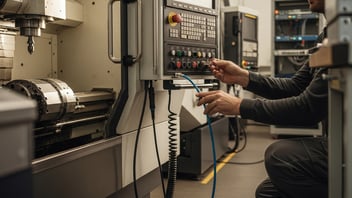

A consistent shift handover can make or break daily throughput on a small CNC line. This guide on shift handover CNC shop practices explains what to capture at the machine, how to standardize the exchange between operators, and which checks protect cycle-time accuracy, quality, and safety. Written for shop managers, production planners, and supervisors, it shows concrete checklist fields, low-cost automation options, and the KPIs to watch so handoffs stop costing you hours in unplanned stoppages and rework.
For external source context, review MTConnect manufacturing data standard.
TL;DR:
-
Standardize a short, repeatable checklist that captures program name+block, current cycle state, tooling/offsets, and any quality exceptions.
-
Use low-effort automation (cycle-on/off signals, barcode job IDs, simple machine monitors) to reduce manual logging and give planners accurate cycle-time inputs.
-
Track 3–5 simple KPIs weekly (handover completeness, early-shift stops, documented program state) and pilot one line for two weeks before scaling.
Key points:
-
Keep the handover short: 1–3 minutes per machine when routine.
-
Capture machine program state and a verified cycle-time note for planning.
-
Train operators to do a 1–2 minute walkaround and a verbal handoff with a checklist.
-
Consider digital logs for auditability; paper works but is harder to analyze.
Why Structured Shift Handovers Matter in CNC Machine Shops
Unstructured handovers create predictable failures: missed offsets, incomplete programs left in MDI, unknown tool-life states, and undocumented scrap. Those failures translate to lost production minutes, extra setups, and rework: exactly the problems small shops can't absorb. Operators, shop managers, and production planners all have skin in the game: operators lose time fixing someone else's setup; managers lose throughput; planners lose visibility into true cycle times.
Common Failure Modes During Unstructured Handovers
-
Operators leave a paused program at a non-standard block or in MDI mode, and the incoming operator starts the wrong segment.
-
Tool offsets or wear are not recorded, leading to dimensional rejects on the first run after shift change.
-
Temporary fixes (workarounds) are not documented, so the next crew repeats them or reverses them without context.
-
Job documentation (quality notes, last inspection) is scribbled on scrap paper and lost.
What a Good Handover Prevents (Quality, Safety, Throughput)
A structured handover reduces first-hour stoppages, prevents avoidable scrap runs, and preserves accurate cycle-time data for scheduling. It also improves safety by ensuring pending lockout entries, machine guards, or hazardous setups are visible to the incoming operator. For production planners, a reliable handover feeds true program-state and cycle-time inputs into daily planning, so run-rate estimates aren't based on guesses.
Example: In practice, a brief verbal check ("job 2345, Fanuc program P1234, currently at block N045, tool T6 loaded, last part passed in-process check, 50 parts remaining") gives the incoming operator what they need to act immediately. Use this pattern when training operators on handover scripts.
Government resources for manufacturing process improvement are available through the NIST manufacturing extension partnership for shops that want formal guidance on operations improvement.
Tired of losing minutes to guesswork at every shift change? See how live machine status removes the ambiguity before the next operator even walks up.
Explore Machine MonitoringCore Elements of an Effective CNC Shift Handover
An effective handover captures a concise snapshot of the machine, tooling, workpiece, and pending actions. The goal is to make the next operator able to resume production or make an informed decision within one to three minutes, without hunting for missing facts.
Machine and Program State (Modal Axes, Program Name, Block Number)
Capture these fields as mandatory:
-
Job number and part drawing reference
-
CNC control and program name (e.g., Fanuc P1234, Siemens O123)
-
Current block/line number or whether the program is between cycles
-
Spindle state and feed override percentages visible on the control
-
Active tool number and whether the tool change is pending
-
Any MDI commands or single-block mode status
Operators should record whether the machine is mid-cycle or at a safe stop. When in doubt, note the exact block number and keep the machine stopped for a quick verification.
Workpiece, Tooling and Fixture Status
Capture these fields and mark critical vs optional:
-
Workpiece status: raw stock, in-process, inspected, or scrap (critical)
-
Tool list with tool life or remaining life estimates (critical)
-
Fixture condition: secure, damaged, or requires regrip (critical)
-
Next scheduled tool change or regrind (optional but useful)
-
Coolant level and any recent coolant contamination events (optional)
Use bold labels on the checklist to separate "critical" items that must be filled and "optional" notes for deeper context.
Quality and Inspection Notes (In-Process Checks, Scrap)
Document the last in-process check result and any anomalies:
-
Last sample measurement and where it was taken (feature, dimension)
-
Known offsets applied to correct an issue, and whether those offsets are temporary
-
Number of scrap parts since the last handover
-
Pending rework or customer-specific notes
Quality notes often prevent repeating the same mistake and help planners decide whether to pause a run for adjustment.
Open Actions, Pending Setups, and Safety Issues
List pending items with a short owner and estimated time:
-
Fixture change planned at shift X or operator Y
-
Tool reorder or tool-room request
-
Safety items: compromised guards, lockout tags, or incomplete machine maintenance
Mark these clearly as "Action required" and add the expected time estimate. That helps the incoming operator prioritize.
For guidance on which operator workload indicators to capture as part of a handover, see our piece on measuring operator workload indicators.
Standardized Handover Formats, Templates, and a Sample Checklist
A single, consistent format wins every time. Shops that pilot a one-line checklist find it becomes a habit quickly. Below are essential fields and a sample walkthrough.
Essential Checklist Fields to Include
-
Job and part: Job#, part#, revision
-
Program: Control type, program name/number, current block/line
-
Machine state: Running, paused, stopped, in MDI
-
Cycle time note: last measured cycle time or "mid-run"
-
Tools and offsets: active tool, offsets applied, tool life remaining
-
Quality: last inspection result, scrap count
-
Pending actions: setups, tool changes, maintenance items
-
Handover timestamp and operator initials
Digital vs Paper: Pros and Cons (Comparison Table)
| Feature | Paper log | Digital log | Integrated automated capture |
|---|---|---|---|
| Speed | Fast at the machine | Fast with tablet/phone | Fast after initial setup |
| Accuracy | Prone to omissions, handwriting | Better validation, mandatory fields | Highest when machine signals are captured |
| Auditability | Low, manual filing | Medium, searchable | High, time-stamped and machine-linked |
| Typical effort | Low daily, high aggregation | Medium daily, low aggregation | Higher setup, low ongoing effort |
| Analysis | Manual spreadsheet work | Exportable to CSV | Direct feed to MES/ERP or dashboards |
Sample Handover Checklist (Walkthrough)
Example: Two-machine operator (Operator A handing to Operator B)
-
Operator A fills required fields: Job# 4021, Program P4021, Block N000, Machine 3 paused between cycles, T4 active, last inspection: OK, scrap 1, 120 parts run, 80 remaining.
-
Operator A flags a pending fixture change at 10:30 and notes coolant top-up required.
-
Operator B does a 1-minute walkaround: checks tool condition, verifies fixture clamp torque, confirms program block matches the log, signs name and time.
-
If the run is mid-cycle and accurate cycle time is needed, Operator B requests a short staged pause to time 5 cycles (see next section).
For routines and daily integration with broader shop tasks, refer to the daily production routine guide. The pattern above works the same whether you're using a paper log or a short tablet-based form: the fields don't change, only the medium does.
Capturing Accurate Cycle/Standard Times and CNC Program State at Handover
Planners rely on accurate cycle or standard times. Bad inputs produce bad schedules. Here are practical steps to capture reliable numbers at handover.
How to Verify Cycle Time From the CNC Program (Practical Checks)
-
Note whether the program is at a safe stop between parts. If it is, time a fixed number of cycles (for example, 5–10 cycles) and divide by the count to get an average cycle time, an illustrative measurement that gives planners a fast, usable baseline.
-
If the run is mid-cycle, record "mid-run" and attach the last verified cycle-time note from the log. Do not guess a full-cycle time when the setup or offsets changed.
-
Where available, use the control's cycle-time display as a reference, but confirm with a physical timing sample because feeds/overrides can skew displayed values.
Quick Checks to Confirm Program Modal State and Offsets
-
Check modal display: look for canned cycles, G-code modal states (G90/G91), and active offsets (G54/G55).
-
Verify active tool number against the tool table and the physical tool in the spindle.
-
Confirm overrides: spindle and feed override percentages and whether rapid traverse is limited.
-
For Fanuc, Siemens, and Heidenhain controls, use the control menus that show current program and block info; for older controls, note MDI and single-block status.
When to Log a Cycle-Time Re-Measure
-
Any time tooling, fixture, coolant, or part material changes.
-
After a corrective action that alters feed or depth of cut (e.g., new insert geometry).
-
After a repeated late-shift anomaly or when planner requests updated rates.
Illustrative calculation: If you time 10 cycles and total time is 25 minutes, average cycle time = 2.5 minutes per part. Record the sample size and start/end times so anyone reviewing the log can assess measurement quality.
Stop re-timing cycles by hand at every handover. JITbase captures accurate cycle and standard times automatically from your CNC programs.
See Production MonitoringAutomating Handover Capture and Integrating Handoff Data with ERP/MES
Automation reduces manual steps and preserves data consistency, but small shops need low-cost, pragmatic options.
Low-Effort Automation Options for Small Shops
-
Cycle signal capture: Use an edge device or simple I/O module to record cycle on/off signals from the machine. This gives run time without needing deep control integration.
-
Barcode job IDs: Scan a job label at the machine to populate job and part fields; it reduces typing errors and speeds logging.
-
Machine-monitoring kits: Off-the-shelf monitors that support MTConnect or OPC UA can capture program name, spindle state, and alarms.
-
Simple operator apps: A tablet form that requires mandatory fields before the operator signs off on handover reduces missing data.
Key integration standards to be aware of: MTConnect and OPC UA are common protocols that make control-level data accessible. For more technical steps on feeding shop-floor data to higher-level systems, see integrating CNC data with ERP/MES and practical advice on how to automate manual interventions.
Key Integration Points: Program State, Cycle Time, and Exceptions
When integrating with an ERP or MES, aim to feed these discrete items:
-
Program name and current block/line (for resume and auditing)
-
Cycle-time samples or running average
-
Active tool ID and tool-change events
-
Exception codes: machine alarms, quality holds, scrap events
-
Handover timestamp plus operator ID
These items let planners and schedulers adapt short-term schedules and maintain accurate remaining-time forecasts.
Privacy and Data Ownership Considerations
Decide who owns machine logs and how long to retain them. Keep operator-identifying fields limited to initials when appropriate. If sending data to cloud systems, confirm the vendor's data policy and encryption standards. Small shops often opt for locally hosted databases with periodic exports to ERP, but this choice depends on IT maturity and risk tolerance.
Operator Communication, Training, and Visual Management for Smooth Handoffs
A technical checklist fails without consistent human behavior. Communication and training are the glue.
Briefing Formats That Work (Standing Huddle, Whiteboard, 1–2 Minute Exchange)
-
Use a 1–2 minute verbal exchange at the machine for each handover: job, program, last inspection, open actions. Keep the script consistent.
-
A central shift whiteboard can show line-level status and highlight critical pending items. Keep whiteboard entries short and updated.
-
Standing huddle at shift start for 5 minutes helps align priorities across operators and supervisors: focus on exceptions and safety.
Script example for handover: "Job 4021, Fanuc P4021, block N000, T4 active, last part checked OK by Sam, 80 parts left, fixture change planned at 10:30, coolant topped up." Use that exact pattern when training.
Training Checklists and Cross-Training to Reduce Single-Operator Risk
-
Train operators on reading modal displays, recognizing common alarm codes, and performing the 1–2 minute walkaround.
-
Implement shadow shifts where an operator spends a single shift shadowing another machine to broaden skills.
-
Maintain a short training checklist for new hires: control basics (Fanuc/Siemens/Heidenhain differences), tool offset checks, basic tool-room requests, and how to complete the handover log.
Link training to staffing: standardized handovers make it easier to employ flexible shift planning; read about practical shift planning techniques that complement handover standardization.
Visual aids (status lights, job cards, a small laminated checklist at each station) reduce cognitive load. Avoid over-complicated boards; keep visual cues simple and actionable.
Handover Quality Metrics and KPIs to Track
You can't improve what you don't measure. Focus on a small set of metrics that tie directly to handover effectiveness and throughput.
Practical KPIs (Handover Completeness Rate, Post-Handover Exceptions, Handover Delay Minutes)
-
Handover completeness rate: Percentage of shifts with all mandatory fields filled.
-
Early-shift exceptions: Number of unplanned stops in the first 2 hours after handover per shift.
-
Documented program state rate: Percentage of handovers where a program name and block number are recorded.
-
Handover duration: Average minutes spent per handover per machine or operator.
-
Operator-reported unresolved items: Count of actions flagged but not closed within the next shift.
These KPIs are easy to collect from digital logs; if using paper, sample audits work too.
How to Collect and Review Handover Data During Weekly Reviews
-
Daily quick checks: Supervisor spot-checks of the previous night's logs for completeness.
-
Weekly trend review: Plot early-shift exceptions and handover completeness; look for correlation with throughput or downtime.
-
Monthly root-cause session: If early-shift exceptions spike, run a short Kaizen to fix the checklist or training gaps.
Use dashboards to compare handover KPIs with broader production metrics. For aggregating handover metrics with OEE and downtime, see guidance on how to implement real-time OEE dashboards and combine operator workload with handover tracking using the operator workload tracking checklist.
Curious what better handovers are worth to your shop? Estimate the hours saved from fewer early-shift stoppages and rework.
Calculate Your ROIThe Bottom Line
Standardize a short, mandatory handover checklist that captures program state, tooling/offsets, and a validated cycle-time note. Start small: pilot one line for two weeks, track a few handover KPIs, and iterate. Practical automation (barcode job IDs, cycle-state capture, or simple machine monitors) reduces paperwork and improves planner visibility.
Frequently Asked Questions
How long should a typical handover take?
The short answer: when routine, 1–3 minutes per machine. That includes a quick verbal summary, a 1-minute walkaround to confirm tool/fixture condition, and signing the checklist. If the run requires a cycle-time re-measure or a fixture change, plan an additional 5–15 minutes; record that in the log so the next shift knows the expected downtime.
For a shop running 8 machines across a shift change, that's roughly 15 to 25 minutes of total handover time if operators overlap by machine rather than doing one long group briefing. Keeping each exchange short is what makes the process sustainable: a handover that regularly runs past 5 minutes per machine usually means the checklist is missing structure, not that the machine is unusually complex. If handovers are consistently taking longer, audit which fields operators struggle to fill quickly and simplify those first.
What are the minimum fields every handover log must have?
At minimum, capture job/part number, control/program name, current block or "between cycles" status, active tool, last inspection result, and operator initials with timestamp. These fields let the incoming operator resume safely and provide planners with the program-state and a rough timing cue.
Treat this as the non-negotiable core, not the full form: a shop can add fields for coolant level or fixture condition later, but skipping any of these six creates a real gap. An incoming operator who sees only "Job 4021, Program P4021" without a block number has no way to tell whether the machine is mid-part or between cycles, and may restart from the wrong point. The timestamp and initials matter just as much for accountability: if a quality issue surfaces two hours into the next shift, the log shows exactly which operator and which handover it traces back to.
Can small shops automate handover capture without big investment?
Yes. Low-cost options include barcode scanning for job IDs, cycle-on/off signal capture with an inexpensive I/O device, and off-the-shelf machine-monitoring kits that speak MTConnect or OPC UA. Start with one machine or one cell to prove value before investing in shop-wide integration.
A practical starting point is a single I/O tap on one bottleneck machine: it captures run/stop state automatically, which removes the most error-prone manual field, cycle state, from the handover form without touching ERP or ordering new hardware for the whole shop. Once that pilot shows fewer early-shift stoppages, expanding barcode job IDs to 2 or 3 more machines is a natural second step. Full MTConnect or OPC UA rollout across every machine is the highest-effort option and is best reserved for shops that have already validated the workflow on a smaller scale.
How do you handle mid-cycle handovers safely?
Pause the machine at a safe point if possible and record the program block before leaving. If pausing would damage the part or process, clearly mark the log as "mid-run" and note the block number and any overrides in effect. When the incoming operator resumes, they should verify tool offsets and run a short check sample before returning to full production.
Not every process can be safely paused: a long single-piece cycle on an expensive casting is a case where stopping mid-cut risks scrapping the part, so the outgoing operator documents the exact block and any active feed or spindle overrides rather than forcing a stop. The incoming operator's job in that situation is to confirm the machine's actual state matches the log before touching any controls, not to assume the notes are complete. A short check sample after resuming, even just one part measured against the print, catches the cases where something shifted during the handover window.
Which KPIs show that handovers are improving throughput?
Look for reductions in early-shift unplanned stops (first 2 hours), an increase in handover completeness rate, and improved accuracy in remaining-time forecasts based on documented cycle times. Correlate these with throughput and downtime metrics on a weekly cadence to confirm the handover process is driving measurable gains.
A useful way to read these numbers together: if handover completeness climbs toward 100% but early-shift stoppages don't drop, the checklist is being filled out without being acted on, which usually points to a training gap rather than a data-capture gap. Conversely, a shop that sees early-shift stops fall even with a moderate completeness rate, say 70 to 80%, is likely already getting most of the value from a handful of critical fields, and can prioritize refining those over chasing 100% form completion.
Related Articles