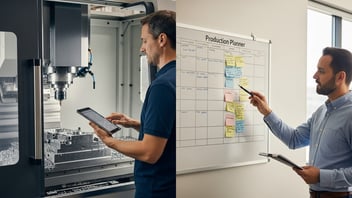
Production management coordinates everything from customer orders to finished parts, and for small-to-medium CNC and contract manufacturers it is the difference between predictable throughput and constant firefighting. This guide explains how Manufacturing Execution Systems (MES), Enterprise Resource Planning (ERP), and digital work order systems should interact, why paperless manufacturing matters, and how to run a pilot that captures reliable cycle times directly from CNC programs. Readers will learn practical vendor questions, implementation steps, connectivity options (OPC-UA, MTConnect, REST APIs, edge gateways), and the metrics that drive measurable throughput gains.
TL;DR:
-
Prioritize a paperless pilot that auto-captures CNC cycle times: shops commonly see 5–15% throughput gains within 8–12 weeks.
-
Use MES for real-time execution, ERP for transactions/finance, and a lightweight digital work order layer to bridge operators and scheduling.
-
Start with 3–5 high-repeat part families, require OPC-UA/MTConnect or an edge gateway, and measure OEE, cycle time distribution, and manual interventions.
What is production management and why does it matter for small CNC shops?
Definition and scope: from orders to finished parts
Production management is the end-to-end practice that turns sales orders and forecasts into completed parts on the shop floor. It spans order entry and planning in the ERP, live execution and dispatching at the MES/work-order layer, and the physical machining, inspection, and packing steps. For CNC shops that manage short-run contract work and mixed families, production management connects scheduling, tooling, operator activity, and machine data so lead times, capacity, and costs are reliable.
Key KPIs to monitor (OEE, cycle time, throughput, takt time)
Critical KPIs include:
-
OEE (Overall Equipment Effectiveness): availability × performance × quality; baseline measurement is essential before projects. See our OEE guide for definitions and calculation methods.
-
Cycle time and cycle time distribution: use actual CNC cycle extraction where possible rather than planner estimates.
-
Throughput and takt time: customers with predictable takt reduce urgent changeovers and expedite fees.
-
Lead time and utilization: track both scheduled vs. realized machine-hours.
Industry studies suggest that visibility into real cycle times and setups reduces scheduling buffer needs by 10–30% (McKinsey and other digital-manufacturing reports), which converts directly to more capacity without hiring.
Common pain points: manual tracking, inaccurate cycle times, operator overload
Small shops commonly rely on paper or spreadsheets, causing stale data, lost travel sheet logs, and overstated utilization. Inaccurate "standard times"—often estimated from CAM outputs rather than measured runs—lead planners to overcommit capacity. Manual interventions for reporting (paper sign-offs, phone calls, spreadsheets) create reactive work and mask root causes. Typical shop-floor entities include CNC controllers, PLCs, MES, ERP, and machine-telemetry standards such as OPC-UA and MTConnect; integrating these reliably is the core technical challenge. For some basic command-line guidance on paperless systems operations, see this discussion about administrative commands in paperless-ngx on GitHub: github.com
Key points at a glance:
-
Connect machines and capture cycle times automatically to create accurate standards.
-
Use a paperless operator layer for checklists, sign-offs, and exception handling.
-
Pilot high-repeat families to show quick ROI before wider rollout.
What are MES, ERP, and work order systems — how do they differ and how should they work together?
Core functions of an ERP vs. MES vs. digital work orders
-
ERP (Enterprise Resource Planning): Handles planning, procurement, finance, inventory, and sales transactions. Examples include SAP Business One, Oracle NetSuite, and Epicor. ERP is transactional and authoritative for cost and customer records.
-
MES (Manufacturing Execution System): Executes production in real time—dispatching work, recording machine states, and enforcing process steps. Systems like Plex and Siemens Opcenter emphasize shop-floor control and traceability. MES is designed for millisecond-to-minute granularity.
-
Digital work order systems: Lightweight operator-facing layers focused on instructions, checklists, and signatures. They sit between ERP and MES and are often easier to deploy in small shops for paperless processes.
Where real-time data belongs (MES) and where transactions belong (ERP)
ERP should remain the single source of truth for orders, product master data, and financials. MES should host live production status, machine telemetry, and operator events. Work-order software implements digital traveler logic and exceptions. For example, when a job starts, MES records actual start/stop and cycles; then the ERP receives a completion transaction or progress update for costing and invoicing. This separation aligns with ISA-95 layer models and reduces transactional noise in ERP systems.
Integration patterns: API, middleware, and direct machine connectivity
Common integration patterns include:
-
REST APIs / Webhooks: For transactional updates between ERP and cloud MES or work-order systems.
-
Middleware / ESB (Enterprise Service Bus): Useful in complex landscapes to normalize data and retry failed transfers.
-
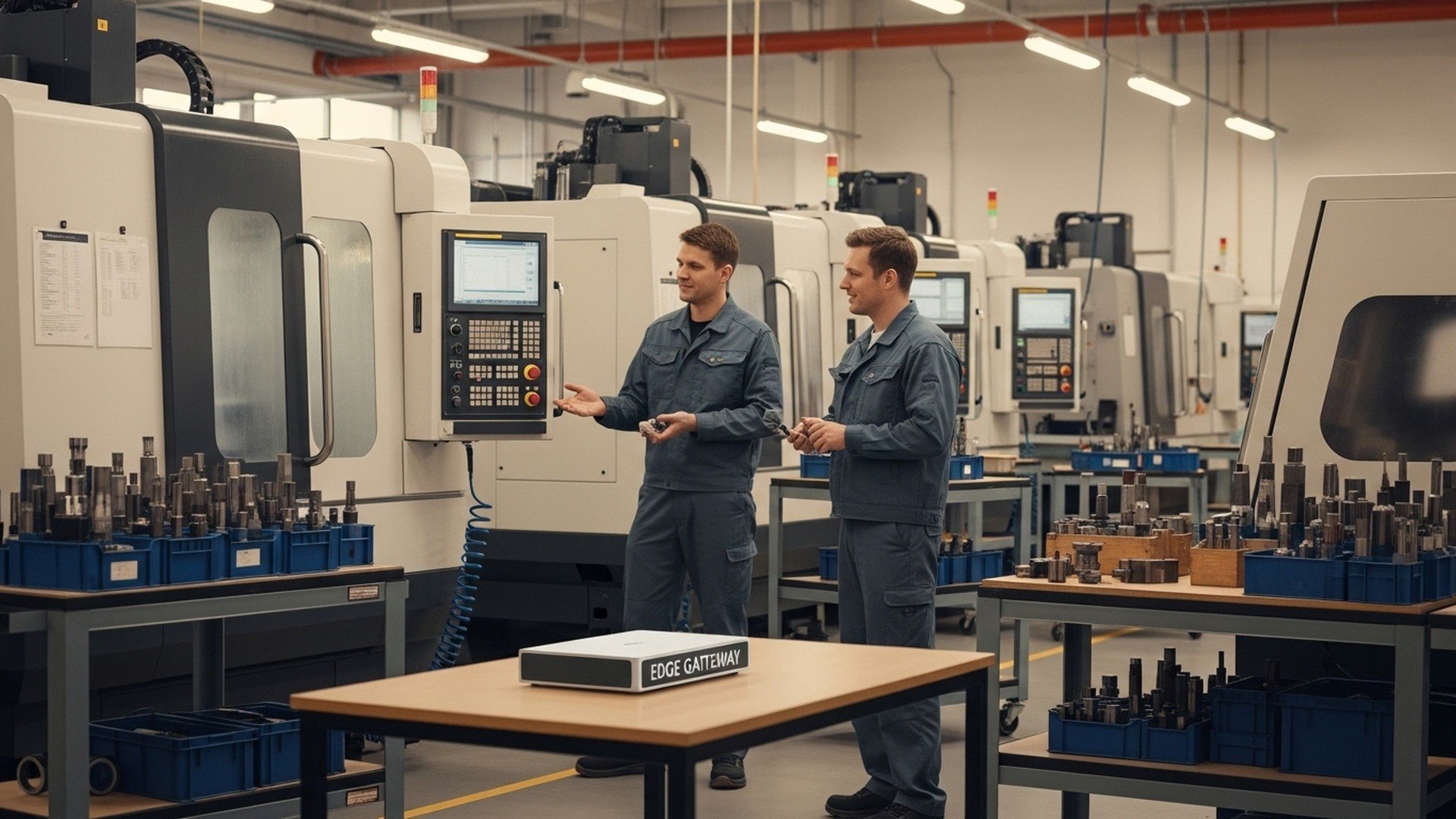
Direct machine connectivity: Use OPC-UA or MTConnect for robust telemetry. Edge gateways (Ignition by Inductive Automation, Kepware KEPServerEX, or open adapters to MTConnect) normalize legacy CNC signals.
Shops should ask vendors: "Do you support OPC-UA and MTConnect natively?", "Can your API return incremental deltas and support idempotent updates?", and "Who owns master data and backups during integration failures?" Contracts should include SLA windows for data delivery, rollback strategies, and a supported machine list.
For more depth on MES architectures, see our MES overview.
How can paperless manufacturing reduce manual work and increase throughput?
Replacing paper with digital work instructions and checklists
Paperless manufacturing replaces paper travelers and clipboards with on-screen instructions, interactive checklists, and electronic sign-offs. Operators receive work orders with tooling lists, setup photos, torque values, and quality gates on tablets or industrial HMIs. Studies of digital instructions show error rates decline significantly—one industry report found operator errors dropped by up to 40% when instructions were standardized and digitized—because the work steps are enforced and documented automatically.
Capturing operator actions, interventions and cycle times automatically
Automatic capture is essential: connect a machine via MTConnect or an edge gateway to extract actual cycle counts and machine-state transitions (cutting, idle, alarm). Parsing CNC program cycle times (G-code or CAM timestamps) and correlating them to work orders produces reliable standard times for scheduling. This reduces planner guesswork and limits manual edits. See our practical tips on automating machine tracking.
Real-world benefits: error reduction, faster setup, and measurable throughput gains
Real-world evidence: shops that implement paperless work orders and machine auto-logging typically report:
-
5–15% throughput improvement within the first 8–12 weeks on high-repeat families (case studies vary by complexity).
-
30–60% reduction in paperwork time per operator per shift.
-
More consistent cycle time distributions that enable tighter schedules and less reactive Overtime.
For a quantified example of OEE improvement on repeat jobs, read our repeat-job case study. Businesses also find faster onboarding of temporary operators and clearer audit trails for quality and compliance. The combination of digital work instructions, automatic cycle extraction, and exception logging is the fastest route to measurable, auditable improvements.
How to choose the right combination: MES vs. ERP vs. work order systems (comparison and specs)
Decision criteria for small-to-medium CNC and contract manufacturers
Key decision criteria:
-
Scope of needs: If the priority is accounting and procurement, start with ERP. If the priority is real-time machine control and traceability, prioritize MES.
-
Connectivity: Ensure native support for OPC-UA/MTConnect or clear edge-gateway guidance.
-
Ease of use for operators: Look for configurable digital work-order interfaces and offline modes.
-
Data ownership and APIs: Confirm REST API access and export capabilities for reporting.
-
Vendor support and ML/analytics: Consider whether advanced analytics are included or optional.
Recommend starting small: pilot one cell, one work-order layer, and ensure cycle-time auto-capture before broad rollouts.
Cost and ROI drivers: licensing, connectivity, and data cleanup
Cost drivers include per-seat or per-machine licensing, the need for edge hardware, and the cost of master-data cleanup. ROI is driven by throughput increases, reduced rework, and administrative labor savings. Expect payback widely reported between 3–18 months depending on shop size and repeatability—pilot-focused deployments on repeat families usually hit the lower end.
Comparison/specs table: scope, typical modules, deployment, and integrations
| System type | Primary users | Real-time vs transactional | Typical modules | Required integrations | Typical implementation time | Expected ROI timeline |
|---|---|---|---|---|---|---|
| ERP (SAP Business One, Oracle NetSuite) | Finance, planners | Transactional | AR/AP, inventory, MRP | MES, CRM, banking | 3–9 months | 9–18 months |
| MES (Plex, Siemens Opcenter) | Shop managers, supervisors | Real-time | Dispatch, traceability, SPC | ERP, PLCs, OPC-UA/MTConnect | 2–6 months (pilot) | 3–12 months |
| Digital work order (JITbase, paperless solutions) | Operators, supervisors | Near-real-time | Work instructions, checklists, signatures | ERP, MES, machine telemetry | 4–8 weeks (pilot) | 4–12 weeks |
Recommended contract questions:
-
"Can you provide a machine compatibility list and examples of edge deployments?"
-
"Do you support OPC-UA and MTConnect and can you deliver a data schema?"
-
"What is your API rate limit, and do you provide webhooks for real-time events?"
-
"What are backup and rollback procedures for failed transactions?"
Decision heuristics: prioritize systems that can auto-capture cycle times from CNC programs; require open APIs; pilot the highest-repeat part families.
How to implement paperless manufacturing and integrate with ERP/MES — a step-by-step plan
Plan the pilot: pick cells, jobs, and success metrics
Select 3–5 high-repeat part families or one cell with 2–5 machines. Define 3–5 KPIs: OEE delta, mean cycle-time variance, number of manual interventions per shift, and paperwork hours saved. Keep the pilot to 4–8 weeks and ensure baseline data collection for comparison. Assign a shop-floor champion and an IT/OT liaison to handle edge connectivity.
Machine connectivity and data mapping: CNC program parsing and signals
Connectivity options:
-
Native MTConnect/OPC-UA: Preferred where supported; provides structured telemetry.
-
Edge gateway: Use platforms like Ignition, Kepware, or vendor-provided adapters to normalize signals from legacy Fanuc, Haas, Siemens, or proprietary controllers.
-
I/O pings: For very old machines, use spindle-running signals via discrete I/O as a fallback.
Map CNC program names and operation codes to work-order lines in the digital system. This mapping avoids ambiguous identifiers and supports automatic time attribution. For practical connectivity instructions, see our machine connectivity guide. Insert an industrial edge device where required and validate signal quality with sample runs.
Rollout: operator training, feedback loops, and continuous improvement
Train operators with short, role-based sessions and a small quick-reference playbook. Use early feedback loops: daily standups for the pilot, a simple scoreboard for KPIs, and a route for exception handling. Link operator prompts to immediate escalation (e.g., tooling mismatch) and capture interventions as data for RCA. For operator interaction patterns and the connected worker concept, consult our article on operator workflows.
Viewers who prefer a visual case study can watch a concise implementation walkthrough that shows pilot-to-rollout steps, connectivity, and operator interaction:
Which metrics and dashboards should you use to measure success?
Core dashboards: OEE, cycle time distribution, manual interventions
Create role-specific dashboards:
-
Shop manager: OEE trend, downtime heatmap, top 10 reasons for unplanned stops.
-
Production planner: Work-order progress, promised vs. actual completion, backlog by due date.
-
Operations manager: Manual interventions per shift, QA rejects, and changeover times.
Display cycle time distribution (histogram) rather than a single mean—this reveals process instability and helps decide where standardized instructions are most effective. Track manual interventions as discrete events (setup error, quality hold, tooling change) to quantify the human workload.
For more on how real-time data can tighten scheduling, see our writing on real-time scheduling.
How to set targets and run root-cause analysis
Use baseline measurements for 2–4 weeks to set realistic targets: aim to reduce cycle-time standard deviation by 10–25% as a first goal. Apply Pareto analysis to downtime reasons. Combine event logs with spindle power and axis load (from MTConnect/OPC) to isolate mechanical vs. procedural causes. For OEE calculations and targets, refer to our OEE guide.
Using real-time data for scheduling and capacity planning
Feed actual cycle times into finite-capacity scheduling engines or back into ERP MRP runs to reduce planned lead-time slack. Real-time machine availability can enable dynamic rescheduling during shift changes or urgent orders, reducing rush changeovers and premium freight. Studies on digital-manufacturing adoption (McKinsey) highlight that combining accurate shop-floor telemetry and planning systems is a primary driver of 10–20% productivity improvement.
What common integration pitfalls should shops avoid and how can they be mitigated?
Data quality, master data, and mismatched part identifiers
Mismatched identifiers between ERP, MES, and work-order systems are the most common cause of failed reconciliations. Create a canonical master-data table that maps ERP part numbers, customer part numbers, and shop-floor program names before integration. Include human-readable synonyms and require an edit-approve workflow for any mapping changes.
Legacy CNCs and machine connectivity constraints
Many older CNCs lack native MTConnect or OPC-UA. Use an edge gateway with protocol adapters or discrete I/O to capture spindle/run states. Expect signal noise and build smoothing/validation logic. Platforms such as Kepware or Inductive Automation reduce compatibility issues but plan for one-off adapters for very old proprietary machines.
Security and system ownership: aligning IT and OT
Cybersecurity and OT integration must be planned with IT early. Segregate machine networks, use firewalls and secure VPNs for cloud connections, and adopt least-privilege principles for API tokens. Refer to ISA and NIST guidance for operational security; NIST provides manufacturing-focused resources that can guide your approach: nist.gov
Mitigation checklist:
-
Establish master-data governance and a single mapping table.
-
Use an edge gateway that enforces schema and retries transactions.
-
Include fallback procedures for offline operation and manual capture.
External standards and resources to consult include the OPC Foundation for industrial interoperability opcfoundation.org, MTConnect for manufacturing telemetry mtconnect.org, and ISO 9001 for quality-management requirements iso.org. For broader industry guidance on digital transformation benefits, McKinsey’s work on digital manufacturing is useful: mckinsey.com
The Bottom Line
Prioritize a short paperless pilot that auto-captures cycle times from CNC programs and connects to ERP via standard interfaces like OPC-UA, MTConnect, or REST APIs. Focus on the most repeatable part families to demonstrate 5–15% throughput gains quickly, then scale using robust master-data governance and an edge gateway strategy.
Frequently Asked Questions
How quickly can a small shop expect to see ROI from paperless manufacturing?
Most small-to-medium shops that pilot paperless work orders and machine auto-logging see measurable ROI in 2–6 months on targeted high-repeat families, driven by reduced paperwork time and more accurate cycle times. Expected throughput improvements vary by shop complexity but commonly range from 5–15% in early pilots. The fastest returns come from reducing manual interventions and improving scheduling accuracy for repeat jobs.
Will paperless systems work with older CNC controls?
Yes—older CNCs can be integrated using edge gateways that translate signals to OPC-UA or MTConnect, or, when necessary, by using discrete I/O to capture spindle/run states. Tools like Kepware and Ignition are commonly used to bridge legacy controllers and normalize telemetry. Plan for one-off adapters and signal validation for very old or proprietary controls.
How do MES and ERP share responsibility for production status?
ERP remains the source of transactional truth—orders, inventory, and finance—while MES owns real-time execution data such as machine state, cycles, and quality events. Integration typically synchronizes order status and completion transactions from MES to ERP and sends planned production runs from ERP to MES. Design integrations to be idempotent and include rollback or reconciliation procedures for failed transfers.
What data should be captured automatically versus manually?
Capture machine states, cycle counts, tool changes, and alarm events automatically from CNC controllers or edge devices to ensure accuracy and granularity. Capture operator confirmations, visual inspections, and subjective notes via digital checklists and sign-offs to preserve context. Reserve manual entry for true exceptions only, and log each manual override with a required reason code for later analysis.
How do you manage operator resistance to going paperless?
Operator buy-in improves with short, hands-on training, immediate visible benefits (fewer missing instructions, faster setup), and by involving a shop-floor champion in pilot design. Start with a small, well-scoped pilot that reduces daily friction and show concrete time savings. Incentives, feedback loops, and a lightweight rollback path for exceptions reduce perceived risk and accelerate adoption.
Related Articles