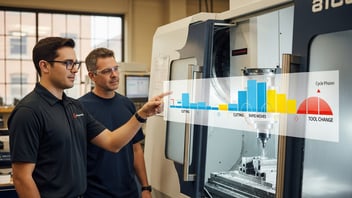
KPI dashboards for manufacturing provide a consolidated, real-time view of production KPIs that frontline leaders use to make faster operational decisions. This guide explains which production KPIs matter (OEE, cycle time, throughput, scrap), where to source reliable data (CNC programs, PLCs, ERP), and how dashboards drive measurable throughput gains, often 5 to 15%, without hiring additional staff. Readers will get a practical roadmap to design, build, and operate dashboards that reveal true cost drivers and reduce manual interventions on the shop floor.
TL;DR:
- Real-time dashboards cut mean time to detect production issues by up to 70% and can increase throughput 5 to 15% by exposing cycle losses and bottlenecks.
- Start with five must-have metrics: OEE (and its components), actual vs standard cycle time, throughput (parts/hour), downtime minutes by cause, and cost per part, and pilot 30 to 60 days on one cell.
- Use CNC-derived cycle times (G-code or controller telemetry) plus lightweight operator inputs, integrate with ERP order data, and choose a tool that supports edge collectors and OPC-UA/MTConnect for fast ROI.
What Is a KPI Dashboard and Why Does It Matter for Manufacturing?
Definition and role on the shop floor
A KPI dashboard is a consolidated visual display that aggregates production metrics and events to support decision-making. On the shop floor, dashboards present real-time production analytics such as OEE (availability, performance, quality), cycle time, machine utilization, scrap rate, and lead time. By visualizing these metrics on wallboards or mobile apps, dashboards reduce the time spent on manual reporting and enable immediate corrective actions.
Industry measurement frameworks like ISO 22400 provide standardized KPI definitions that ensure consistent interpretation across systems and plants. The National Institute of Standards and Technology (NIST) also emphasizes measurement consistency for manufacturing performance tracking, reinforcing the case for standardized dashboards (see NIST manufacturing topics for measurement and standards).
Who benefits: planners, operators, managers
Dashboards benefit multiple roles:
- Production planners get accurate throughput and cycle-time data to improve scheduling and reduce WIP.
- Shop managers and plant managers receive summarized shift-level KPIs for capacity and cost control.
- Operators see actionable prompts and status to reduce non-value-added time and improve first-pass yield.
Daily huddles that use a dashboard's shift summary and exception list streamline decision-making and focus continuous improvement.
Business outcomes: throughput, quality, cost
A well-designed dashboard can shorten root-cause detection from hours to minutes and reveal hidden cost drivers like excessive tool change frequency or setup losses. For example, dashboards alerting to a recurring tooling issue allowed a mid-size CNC shop to identify and correct a tool-offset problem, shaving ~8% from average cycle time on a repeat job. The business case is straightforward: reduced manual reporting time, faster response to stoppages, and measurable throughput improvements without adding headcount.
Operational cadence is important: recommend a daily production huddle using the dashboard at shift start, a mid-shift review for running exceptions, and a daily shift summary emailed to supervisors. These routines turn data into repeatable actions and continuous improvements.
Which Production KPIs Should Every Shop Floor Dashboard Track?
Core KPIs (OEE, throughput, cycle time)
Prioritize KPIs that directly impact throughput and cost. Core metrics include:
- OEE: availability × performance × quality. Use ISO 22400-compliant definitions for consistent reporting.
- Throughput: parts per hour (or shift), reflecting actual output.
- Actual vs standard cycle time: measured cycle time compared to programmed/standard time. Example: if programmed cycle time is 120 seconds but actual median is 130 seconds, performance loss is ~7.7%.
OEE is a consolidated view but always display its components (availability, performance, quality) separately for actionable insights. For deeper context, see the OEE, ooe & teep guide.
Labor and workload metrics
Labor-related metrics show how human capacity affects output:
- Labor minutes per part: total operator time divided by parts produced.
- Operator utilization: percentage of scheduled time spent on value-added tasks.
- Multitasking ratio: number of machines per operator during a shift.
These metrics help balance workload and identify when bottlenecks are human, not machine-driven.
Quality and cost-related KPIs
Quality and cost KPIs translate operational performance into financial impact:
- First-pass yield and scrap rate: percentage of acceptable parts on the first run.
- Cost per part: (machine hourly cost + labor hourly cost + material) × runtime fraction per part.
- Downtime cost per minute: company-specific machine and labor blended rate.
For cost-per-part calculations, include overhead allocation rules and material yield to avoid underestimating true costs.
Key points, five must-have metrics:
- OEE and its components for overall health.
- Actual vs standard cycle time for performance gaps.
- Throughput (parts/hour) for scheduling accuracy.
- Downtime minutes by category for targeted improvements.
- Cost per part for financial decision-making.
Real-world reference: shops that track these KPIs systematically often find opportunities to reassign load, reduce setup frequency, and achieve 5 to 15% throughput gains.
Want these 5 KPIs updating live? Connect your machines and see OEE, cycle time, and cost per part on one dashboard.
See a live dashboardHow to Build a Manufacturing KPI Dashboard With Real-Time Dashboards: Data Sources, Architecture, and Tools
Data sources: CNC programs, PLCs, MES/ERP
Dashboards pull from three classes of data:
- Machine-level telemetry: CNC controller events (cycle start/stop, spindle on/off), PLC signals, tool-change logs.
- Program-derived standards: cycle time and tool path durations extracted from G-code or CAM post-processor outputs. Accurate standard times are essential to measure performance.
- Business context: ERP order, routing, and material information for cost-per-part and order-level tracking.
Program extraction of cycle times links to demonstrated savings, as described in the CNC programming savings case study and the repeat-jobs OEE case study.
Typical event types for dashboards include: part complete, down reason code, tool change, setup start/finish, and operator login. These can be emitted as CSV events or streamed as JSON.
Integration patterns: real-time vs batch
Architectures vary by latency needs:
- Edge collectors → message bus (MQTT/Kafka) → time-series store → dashboard: suitable for sub-second to minute-level update needs.
- Batch ETL to a data warehouse for shift and daily reports: simpler but introduces hours of latency.
Compare protocols: OPC-UA and MTConnect provide standardized machine telemetry; for older machines, direct I/O tapping or custom PLC integrations may be required. Industry coverage on IIoT patterns can be found at IndustryWeek.
Common pitfalls: inconsistent part IDs between ERP and machine data, timezone misalignment, and missing or incorrect standard times. Validate data by pilot-testing one cell to reconcile counts and times before rolling out plant-wide.
Tool options and implementation steps
Tool examples range from spreadsheets to enterprise MES and dedicated platforms:
- Excel or Google Sheets: low cost but batch-driven and error-prone.
- MES vendors: Siemens Opcenter, Rockwell FactoryTalk provide deep functionality but longer deployment timelines.
- Dedicated platforms: JITbase and Ignition by Inductive Automation focus on rapid edge collection and dashboarding with faster ROI.
Implementation checklist:
- Identify 5 core KPIs and their formulas.
- Map data sources and verify access to CNC telemetry and ERP order data.
- Pilot one cell for 30 to 60 days to validate events and standard times.
- Deploy dashboards to wallboards and mobile, set alert rules, and establish daily review routines.
How Do Real-Time Production Analytics Improve Throughput and Reduce Cost?
Detecting and eliminating bottlenecks
Real-time analytics surface bottlenecks by showing where queues and idle time accumulate. For example, continuous monitoring of cycle time variance can reveal a machine that intermittently runs 10 to 20% slower due to tool wear, allowing preventive tool changes before quality or throughput suffer. Conservative industry experiences show recovering 10 to 30 minutes per shift per cell translates to 3 to 8% throughput improvement in small-to-medium shops.
Dashboards also enable takt-time alignment and Heijunka smoothing by making deviations visible and actionable.
Using analytics for continuous improvement
Analytics help prioritize improvement work with data-driven Pareto analyses: downtime reasons, scrap causes, and parts with highest cycle variance. An iterative PDCA cycle (plan-do-check-act) keyed to dashboard insights drives sustainable gains. Studies in manufacturing digital transformation indicate that continuous monitoring combined with targeted kaizen events yields faster ROI than ad hoc improvements.
For scheduling benefits derived from live data, see how real-time inputs enable better dispatching in the real-time scheduling article.
Cost analysis: per-part and shift-level visibility
Dashboards convert runtime and operator minutes into cost-per-part using blended machine hourly rates and labor rates. Example calculation:
- Machine hourly cost: $45/hr
- Labor hourly cost: $30/hr (operator)
- Runtime per part: 2 minutes (0.0333 hr)
- Cost per part = (45 + 30) × 0.0333 ≈ $2.50 (excluding material)
Tracking cost-per-part by job and shift exposes hidden losses like excessive setup frequency or high scrap rates. Monitoring downtime cost per minute is also effective: if a machine downtime minute costs $1.25, a 10-minute unplanned stop loses $12.50, data that justifies investment in preventive measures.
Integrating these insights into monthly performance reviews helps finance and operations prioritize capital and training spend.
How to Measure Operator Workload and Labor Costs with Dashboards?
Capturing operator activity and standard times
Accurate operator workload measurement combines CNC-derived times and brief operator prompts. Extract standard cycle times from CNC programs or CAM output to establish expected runtimes. Augment machine events with lightweight operator inputs for manual tasks (load/unload, inspection, setup). This hybrid approach avoids intrusive time-studies while capturing non-automated activities.
Data points to capture: actual vs standard time per operator, non-value-added minutes (movement, waiting), and number of active machines per operator.
Balancing workload across machines
Dashboards can compute operator-to-machine ratios and visualize workload heatmaps. Example metrics:
- Operator utilization by hour (percentage of time on value-added tasks).
- Queue buildup per operator (number of pending operations assigned).
- Reassignment opportunities: identify idle machines with compatible tooling and re-route parts to smooth peaks.
These views support tactical decisions: move parts between cells, schedule preventive maintenance during low-load windows, or justify temporary staffing.
Refer to the strategic approaches to dealing with labor constraints in the machinist shortage resource.
Translating workload into labor costs
Translate workload into dollars by multiplying operator minutes by fully-burdened labor rates (wages + benefits + overhead). Use dashboards to compute labor minutes per part and aggregate at job level. For example, if an operator spends 12 minutes per part at $40/hr fully burdened, labor cost per part is $8.00. Combining this with machine-hour costs and material yield yields an accurate cost-per-part that supports pricing and quoting decisions.
Integration with workforce management or time-and-attendance systems simplifies payroll reconciliation and overtime justification, improving cost accuracy and operational transparency.
Curious what your labor cost per part actually is? See operator workload and cost-per-part calculated automatically from real machine data.
See workforce managementExcel vs MES vs Dedicated Dashboard Platforms: Which Is Right for Your Shop?
Comparison table: capabilities and constraints
| Capability | Excel / Spreadsheets | MES (e.g., Siemens Opcenter) | Dedicated dashboard platforms (e.g., JITbase, Ignition) |
|---|---|---|---|
| Ease of setup | High (days) | Low (months) | Medium (weeks) |
| Real-time capability | No (manual refresh) | Yes (real-time) | Yes (edge collectors, seconds) |
| Machine integration | Limited | Deep (requires integration) | Strong (OPC-UA/MTConnect/edge) |
| Scalability | Poor | High | High |
| Cost | Low upfront | High (license + services) | Mid (subscription/edge hardware) |
| Customization | Flexible but fragile | Highly customizable | Flexible + industrial focus |
| Reporting & analytics | Basic | Advanced | Advanced with industrial templates |
When Excel works (and when it fails)
Excel is effective for ad-hoc analysis and initial KPI design because of low cost and familiarity. It fails as the primary operational source when real-time updates, multi-user concurrency, data lineage, and machine connectivity are required. Common pitfalls include version control issues, stale data, and manual reconciliation errors; see exploration of the limits of Excel.
When to choose MES or a dedicated platform
Choose MES when deep process control, traceability, and enterprise-level governance are priorities and the organization can tolerate longer deployment timelines. Choose a dedicated dashboard platform when the goal is rapid deployment, real-time telemetry from CNCs via OPC-UA/MTConnect, and quick ROI. Dedicated platforms often offer edge collectors that work with legacy controllers and provide out-of-the-box OEE and downtime reason templates. Decision criteria: number of machines, need for real-time alerts, available IT resources, and target ROI timeframe. For a broader look at how these dashboards fit alongside scheduling tools, see our guide to production planning software.
How to Choose KPIs, Visuals, and Alerts for Actionable Dashboards?
Design principles for manufacturing dashboards
Design dashboards for glanceability and actionability: place top-line KPIs (OEE, throughput, cost per part) at the top, trend lines and exceptions in the middle, and drill-downs for root-cause analysis below. Use a clear hierarchy, limit the number of metrics per screen to avoid cognitive overload, and adopt consistent color semantics (green/amber/red) sparingly to highlight exceptions.
Recommended visuals include:
- Trend lines for cycle time variance.
- Pareto charts for downtime reasons and scrap causes.
- Heatmaps for machine utilization by shift.
- Sparklines for recent performance.
Alerting rules and escalation paths
Set alert rules that reduce noise but drive action:
- Threshold-based: e.g., OEE under target for 10 continuous minutes triggers an operator alert.
- Anomaly detection: sudden 15%+ cycle time spike on a part triggers a maintenance notification.
- Escalation: operator → shift supervisor → plant manager with increasing severity.
Define documented response steps for each alert type to ensure consistency and speed of resolution.
Sample dashboard layouts for shifts and managers
- Shift board (wallboard): current OEE, active exceptions, machine status grid, top 3 downtime reasons, and a live parts-per-hour counter. Refresh rate: 10 to 60 seconds.
- Manager summary (desktop/mobile): 24-hour trendlines, cost-per-part by job, labor utilization heatmap, and KPI variance vs plan. Refresh rate: 1 to 5 minutes.
Mobile and wallboard views should be role-specific to avoid overloading operators with irrelevant detail.
Estimate your payback before you build. Model throughput gains and cost savings with your own numbers.
Build your ROI caseThe Bottom Line
Implement a prioritized, real-time KPI dashboard that combines CNC-derived cycle times with simple operator inputs and ERP context to increase throughput and reveal true cost drivers. Start with a 30 to 60 day pilot on a key cell, validate standard times, and scale once accuracy and business impact are demonstrated.
Frequently Asked Questions
How quickly can I get meaningful KPIs?
Meaningful KPIs can appear within 30 to 60 days if the pilot cell has reliable telemetry and validated standard times. Start with five core metrics (OEE, throughput, cycle time, downtime minutes, cost per part), pilot data collection, and reconcile counts with manual audits during the first month to ensure accuracy.
Real-time visibility and trust usually require one formal validation cycle and two weeks of live use to stabilize alerts and thresholds.
Can I use existing CNC programs to get cycle times?
Yes. Cycle and standard times can be extracted from G-code, CAM post-processors, or controller cycle analytics, which provide baseline expected runtimes for performance comparison. Combining program-derived times with live spindle and part-complete events produces accurate actual vs standard metrics.
Be sure to account for tool offsets, feeder variations, and in-process inspections that can alter real-world cycle time versus theoretical program time.
What KPIs should shop-floor operators focus on?
Operators should focus on immediate, actionable KPIs: current machine status, parts-per-hour target vs actual, active downtime reasons, and first-pass yield for the job on the machine. These metrics direct operator actions like restarting a stalled cycle, initiating corrective maintenance, or adjusting feeds to meet quality requirements.
Keep operator screens simple and tied to response procedures to avoid distraction and ensure fast recovery from exceptions.
How do dashboards integrate with ERP and MES?
Dashboards typically integrate by syncing ERP order and routing data for job context and by consuming MES events for process state; integration patterns range from API-based synchronization to message-bus architectures. Edge collectors send machine events to the analytics layer while ERP/MES provide BOM, labor rates, and order IDs for cost and traceability calculations.
Standard protocols like OPC-UA and MTConnect simplify machine-level integration, and ERP connectors (REST/API) ensure accurate job mapping across systems.
How do I avoid data quality issues?
Prevent data quality problems by piloting one cell, reconciling machine counts with manual logs, validating standard times, and enforcing consistent part IDs between ERP and machine data. Implement timezone normalization, standardized downtime reason codes, and automated alerts for missing or outlier events.
Regular audits, version control for extraction scripts, and operator training reduce drift and maintain data trust over time.
Related Articles