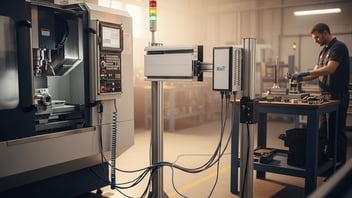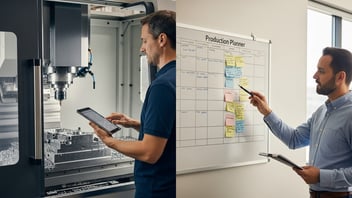
Machine monitoring software for CNC shops collects real-time machine status, cycle and part-count data, and downtime reasons to drive higher throughput, more accurate scheduling, and faster root-cause analysis. Operations teams that deploy monitoring typically reduce manual data collection, capture reliable cycle/standard times from CNC programs, and reveal operator workload and interruption patterns that were previously invisible. This article compares the top machine monitoring platforms for 2026, explains which metrics matter, shows how to evaluate vendors, and gives practical ROI and implementation guidance for small-to-mid CNC and contract shops.
Key takeaways:
- Implement monitoring on a 3 to 10 machine pilot to typically improve OEE by 5 to 15% and reduce unplanned downtime hours by 20 to 50% within 3 to 6 months.
- Expect hardware + integration costs of roughly $500 to $2,500 per machine and SaaS fees of $50 to $300 per machine per month; many shops report payback in 3 to 12 months depending on how downtime and scrap are reduced.
- Choose a system that automatically extracts cycle times from G-code/NC programs, supports MTConnect/OPC UA for connectivity, and provides ERP/MES APIs. JITbase is recommended for shops prioritizing minimal manual work and fast ROI.
What Is Machine Monitoring Software And Why Does It Matter?
Machine monitoring software is an IIoT-enabled platform that captures machine status (running, idle, fault), cycle counts, run-time, and reason codes from CNC controls, PLCs, or retrofit edge devices. It supports protocols and standards such as MTConnect, OPC UA, REST APIs, and MQTT to move machine telemetry into dashboards, analytics, and downstream systems. For CNC controls, compatibility with Fanuc, Siemens, Heidenhain and other controllers matters for accurate cycle extraction and status detection.
Small-to-mid CNC shops typically run with average OEE in the 30 to 60% range; industry studies and shop reports indicate large upside from addressing idle time and setup waste. Manual tracking pitfalls include delayed timekeeping, mis-coded downtime reasons, and inaccurate cycle time baselines derived from ideal-cycle estimates rather than program-extracted values. Machine monitoring eliminates many manual steps by reading spindle state, part counts, and axis motion to compute realistic cycle and standard times.
The value proposition is concrete: accurate cycle time capture from G-code improves quoting and scheduling accuracy, reduces expedited jobs, and reveals operator workload distribution. Basic monitoring does cycle counting and simple alerts; advanced analytics add predictive maintenance, shift-level performance comparisons, and automated work-order status updates to ERP/MES. Research from Deloitte and smart-manufacturing initiatives shows early digitization, like machine monitoring, is among the highest ROI steps for small manufacturers preparing for Industry 4.0. For shops focused on throughput without adding headcount, machine monitoring makes operator interactions measurable and repeatable, revealing where to apply Kaizen or automation.
Which Key Metrics Should You Track With Machine Monitoring Software?
Tracking the right metrics is essential to turn raw machine telemetry into operational improvement. The core set centers on OEE and its components: availability, performance, and quality.
- Availability: Share of planned production time the machine actually runs. Calculate as Run Time / Planned Production Time. Common loss drivers include setup, tool changes, and unplanned stops.
- Performance: How close the machine runs to its ideal speed while it is running (Performance = Ideal Cycle Time × Total Count / Run Time).
- Quality: Good parts / total parts produced; integrates scrap and rework into OEE.
OEE = Availability × Performance × Quality. Typical small-shop OEE benchmarks range from 30% to 60%; a realistic improvement target for a 3 to 6 month pilot is 5 to 15 percentage points. For deeper planning, track cycle time, standard time, and actual run time separately. Cycle time is the elapsed time to produce one part (including tool changes and part handling if they occur within the cycle); standard time is the planned time used for scheduling and quoting. Many monitoring solutions now auto-extract cycle times from CNC programs, which narrows the gap between quoted and actual times.
Downtime reason coding combined with MTTR (mean time to repair) and MTBF (mean time between failures) gives teams directional insight on reliability and responsiveness. Consistent reason-code taxonomy is critical: without it, analytics will surface noise. Industry literature (for example IEEE studies on OEE measurement accuracy) stresses the importance of time-synchronization and consistent definitions when comparing shifts or machines.
Recommended minimum metric set for a pilot:
- OEE and its three components updated hourly
- Actual cycle time vs. quoted/standard cycle time
- Downtime events with reason code, duration, and frequency
- Part counts (good vs. scrap) and yield percentage
For tactical guidance on measuring OEE and improving data accuracy, see our guide on how to improve OEE.
Want your OEE calculated automatically? Connect your machines for free and see availability, performance, and quality update live.
See the live dashboardHow Do You Choose The Right Machine Monitoring Software For A Small-to-Mid CNC Shop?
Choosing a monitoring solution requires balancing connectivity, analytics, cost, and usability. Evaluate vendors by the following practical checklist.
Deployment Options
- Cloud SaaS for fast rollouts, centralized dashboards, and lower upfront IT footprint.
- On-premise for shops with strict data residency or low-latency needs.
- Hybrid for edge processing with cloud analytics.
Integration Checklist
- Machine connectivity: edge device support, offered adapters for Fanuc/Siemens/Heidenhain, MTConnect/OPC UA compatibility.
- Control-level access: ability to read spindle/axis motion, M-code, and part counters.
- Downstream systems: REST API, pre-built ERP/MES connectors, or middleware support.
Key decision criteria
- Ease of machine connection: how many minutes/hours to connect a standard CNC? Ask vendor for typical installation times.
- Cycle-time extraction: can the system parse G-code or read control cycle indications to derive realistic cycle times automatically?
- Operator interface: does it minimize inputs required from operators (e.g., one-touch job start/stop) and support visual boards?
- Downtime capture: automatic detection vs. manual reason coding: the best systems offer both.
- API and ERP integration: brokered connectors or open REST APIs for syncing job status and counts.
- Pricing model: per-machine subscription vs. per-site seat vs. enterprise licensing. Clarify hidden costs for edge hardware, custom integrations, and training.
Recommended pilot approach
- Pilot size: 3 to 10 machines representing typical mix (mills, lathes, lights-out) to reveal integration edge cases.
- Timeline: 4 to 8 weeks from edge installation to reliable dashboards and baseline data.
- Success criteria: data completeness over 90%, accurate cycle extraction on 80% or more of jobs, and capturing at least 75% of downtime events with valid reason codes.
Ask vendors these questions:
- What specific CNC controls and versions have you connected in shops like ours?
- Can you extract cycle time from existing NC programs without modifying G-code?
- What is the average time to connect a machine, and what OT/IT support is required?
- Do you provide ERP connectors for systems like Epicor, Plex, or SAP?
A small pilot reduces risk and surfaces integration gaps before wide rollout. Vendors regularly recommend this approach to validate assumptions and quantify payback.
Best Machine Monitoring Software And OEE Tracking Software: Top 10 Picks and Why They Stand Out
The list below ranks ten solutions suited to small-to-mid CNC shops, with a short pro/contra for each and the ideal use case.
- JITbase: Ideal for small shops seeking automated cycle extraction and low operator overhead. Connectivity: MTConnect/OPC UA/edge sensors. Core features: real-time OEE, automatic cycle-time capture from G-code, ERP/MES APIs. Pricing: per-machine SaaS + optional edge hardware. Pros: fast payback, light operator interaction. Cons: newer to some markets than enterprise incumbents.
- MachineMetrics: Best for shops wanting strong analytics and predictive-maintenance add-ons. Connectivity: MTConnect/OPC UA/PLC adapters. Core features: alerts, OEE, cycle extraction. Pricing: per-machine SaaS. Pros: mature analytics; wide install base. Cons: higher per-machine costs for small sites.
- Datanomix: Focused on automated cycle extraction and machine-level analytics. Connectivity: edge devices + MTConnect. Core features: cycle time analytics, downtime coding, dashboards. Pricing: per-machine SaaS. Pros: strong cycle analytics. Cons: may need custom connectors for obscure controls.
- Scytec DataXchange: Established retrofit-friendly system for mixed fleets. Connectivity: DNC, MTConnect, PLCs. Core features: runtime capture, alerts, historical reporting. Pricing: site or per-machine options. Pros: good for legacy machines. Cons: UI less modern than younger SaaS-first vendors.
- SensrTrx: MES-lite with strong scheduling and shop-floor execution features. Connectivity: OPC UA/MTConnect integrations available. Core features: OEE, work-order tracking, operator inputs. Pricing: per-site/per-module. Pros: integrates execution with monitoring. Cons: broader MES features may be overkill for simple monitoring pilots.
- Tulip: Low-code MES platform that supports monitoring via connectors. Connectivity: plugins and edge gateways. Core features: customizable operator apps, dashboards. Pricing: per-seat/platform. Pros: excellent operator UIs. Cons: requires more configuration to extract cycle times automatically.
- Prodsmart: Mobile-first MES with basic machine monitoring for smaller shops. Connectivity: edge adapters and manual entry. Core features: OEE dashboards, part counts. Pricing: per-site/per-user. Pros: affordable entry-level. Cons: limited automatic cycle extraction for complex CNCs.
- Plex MES: ERP + MES for mid-size manufacturers wanting integrated ERP workflows. Connectivity: deep ERP-MES integration and device adapters. Core features: OEE, scheduling, quality. Pricing: enterprise-level. Pros: tight ERP coupling. Cons: higher cost and longer implementations.
- Siemens Opcenter: Enterprise-grade MES with broad protocol support (OPC UA, MTConnect via adapters). Connectivity: Siemens controllers and broad industrial stack. Core features: advanced analytics, traceability. Pricing: enterprise. Pros: deep industrial capabilities. Cons: expensive for small shops.
- OEE Coach: Lightweight OEE-focused tool with manual and semi-automatic capture modes. Connectivity: simple sensors and manual inputs. Core features: shift reporting, OEE alerts. Pricing: subscription. Pros: fast deployment and low cost. Cons: limited auto-cycle extraction on complex CNCs.
Before choosing, review live demos and ask for references from shops with a similar machine mix. Below is a quick feature comparison to help evaluate fit.
| Vendor | Supported CNC protocols | Real-time OEE | Automatic cycle-time capture | API / ERP integrations | Pricing model |
|---|---|---|---|---|---|
| JITbase | MTConnect, OPC UA, PLC, Fanuc/Siemens adapters | Yes | Yes (G-code / control parsing) | REST API, ERP connectors | Per-machine SaaS + HW |
| MachineMetrics | MTConnect, OPC UA, PLC | Yes | Yes (control parsing) | REST API, connectors | Per-machine SaaS |
| Datanomix | Edge + MTConnect | Yes | Yes (cycle extraction focus) | REST API | Per-machine SaaS |
| Scytec DataXchange | DNC, MTConnect, PLC | Yes | Partial (depends on control) | Connectors | Per-site/per-machine |
| SensrTrx | OPC UA, MTConnect (via gateway) | Yes | Partial | REST API, ERP | Per-site/modules |
| Tulip | Gateways / plugins | Yes (via connectors) | No (requires integration) | APIs, connectors | Per-platform |
| Prodsmart | Edge adapters, manual | Yes | Limited | API | Per-site/subscription |
| Plex MES | OPC UA, MTConnect (via adapters) | Yes | Depends on integration | Native ERP | Enterprise |
| Siemens Opcenter | OPC UA, adapters | Yes | Yes (with integration) | Extensive | Enterprise |
| OEE Coach | Sensors/manual entry | Yes | No | Basic API | Subscription |
Note about install times and payback: typical installation of edge hardware and initial configuration for a small pilot is often 1 to 3 days per machine; end-to-end payback reports from vendors and case studies commonly cite 3 to 12 months depending on machine rates and cost of downtime.
What ROI And Cost Considerations Should You Expect?
Realistic budgeting requires separating one-time implementation costs from recurring subscription fees and estimating benefit streams from downtime reduction, increased throughput, and lower scrap. Typical cost components:
- Edge hardware: $300 to $2,000 per machine depending on sensor complexity and cabling.
- Software subscription: $50 to $300 per machine per month (or site-level licensing for MES platforms).
- Integration labor: $1,000 to $10,000 depending on ERP connectors, custom mapping, and IT/OT complexity.
- Training and change management: modest additional cost for operator training and SOP updates.
Payback scenarios are based on conservative assumptions. Example conservative model:
- Shop runs 3 machines 16 hours/day, 5 days/week, average part value $100.
- Reducing unplanned downtime by 10 hours/month at a machine that typically produces 50 parts/day yields additional throughput value that can quickly offset subscription and hardware costs.
- Improving OEE by 5% on a $500k/year revenue stream can translate to $25k/year of incremental capacity, enough to justify monitoring costs with a payback under 12 months for many shops.
Government and industry resources can help refine assumptions. The National Institute of Standards and Technology provides smart-manufacturing maturity guidance useful when scoping pilots and ROI assumptions (Manufacturing at NIST). Labor market dynamics also matter: Bureau of Labor Statistics data on manufacturing employment can justify investments when hiring is difficult or costly (Bureau of Labor Statistics). For workforce-focused gains used in ROI, see our article on overcoming the labor shortage by knowing your operators' workload.
Intangible benefits that support ROI:
- Better scheduling reduces expedited freight and overtime.
- Accurate cycle times improve quoting and reduce underpriced jobs; see the CNC programming example in our case study How Smarter CNC Programming Saved $700K.
- Faster root-cause analysis reduces repeat downtime and increases labor productivity.
Conservative estimate: many small shops report payback in 3 to 12 months when monitoring is combined with targeted corrective actions (tooling changes, operator training, preventive maintenance).
Tired of chasing machine downtime tracking by hand? See automatic downtime capture and reason coding in a live dashboard.
See downtime trackingHow Does Machine Monitoring Integrate With ERP, MES And CNC Controls?
Integration commonly follows a layered pattern: edge device → gateway/edge platform → cloud or on-premise platform → MES/ERP. The edge device reads spindle state, I/O, part counts, and control data; gateways normalize data to standards like MTConnect or OPC UA before sending it to monitoring software. If you're also evaluating how this data should drive scheduling decisions, see our comparison of production planning software options for CNC shops.
Protocols and standards:
- MTConnect: an open standard for machine-to-software interoperability used widely for CNC telemetry (MTConnect standard overview).
- OPC UA: a robust, secure industrial protocol for exchanging machine and PLC data (OPC UA explained).
- REST APIs and MQTT: used to integrate monitoring platforms with cloud dashboards and ERP systems.
Common Integration Patterns
- Push model: monitoring platform pushes job start/stop, completed piece counts, and scrap to ERP using REST APIs, updating work-order status in near real-time.
- Pull model: ERP polls monitoring for status updates and aggregates counts back into production reports.
- Middleware connectors: some vendors provide pre-built connectors for Epicor, Plex, SAP, and other ERP systems to simplify mapping.
Practical data flow examples:
- CNC spindle-on + part-counter increment → monitoring records cycle → platform maps to ERP work order via job ID → ERP updates completed quantity and triggers billing or quality workflows.
- Fault code from PLC → platform logs event with duration and notifies maintenance via ticket created in CMMS or MES.
When implementing integrations, validate:
- Data latency requirements (near real-time vs. batched updates).
- Duplicate-record behavior (ensure idempotency in API calls).
- Mapping of job identifiers between CNC programs and ERP work orders.
Security and IT/OT considerations:
- Segment OT networks and use secure gateways.
- Ask the vendor about TLS, token-based authentication, and whether they support on-premise-only deployments if data residency is required.
- Validate credentials and role-based access to ensure only intended systems can write updates to ERP/MES.
How To Implement Machine Monitoring With Minimal Disruption?
A staged pilot reduces risk and accelerates adoption. Follow a structured pilot plan with clear scope, metrics, and stakeholder engagement.
Pilot plan (recommended)
- Scope: select 3 to 10 representative machines across shifts and product types. Include at least one legacy CNC to validate retrofit adapters.
- Timeline: 4 to 8 weeks to reach stable data capture and baseline reporting.
- Baseline: collect pre-deployment OEE, downtime hours, and cycle-time samples for accurate before/after comparison.
- Success metrics: data completeness over 90%, downtime reasoning capture on 75% or more of stops, and measurable OEE or downtime improvement within 8 to 12 weeks.
Operator Training and Change Management
- Keep operator inputs simple: use one-touch job start/stop and limited reason-code menus.
- Run monitoring in "shadow mode" for 1 to 2 weeks so operators and planners can validate data without affecting pay or scheduling.
- Use visual boards and daily huddles to show the value of captured data and to recognize improvements.
- Engage the full stakeholder list: shop manager, production planner, lead machinist, IT, and maintenance supervisor.
Scaling to full deployment
- Standardize connection templates for common machine types to reduce per-machine setup time.
- Create a playbook of common reason codes and remediation actions.
- Roll out in waves (e.g., cell-by-cell) and ensure ERP connectors are verified at each stage.
Change management is often the difference between a dashboard that collects dust and one that drives measurable throughput gains. For a complete approach to presenting tracking to operators without a surveillance effect, see our guide on shop floor change management.
Ready for a low-risk pilot? Estimate what better uptime and accurate cycle times are worth for your shop before you start.
Estimate your paybackThe Bottom Line
Machine monitoring delivers fast, measurable improvements in OEE, cycle-time accuracy, and downtime reduction when piloted on a small cluster of machines and integrated with ERP/MES. Choose a solution that reliably auto-extracts cycle times from CNC programs, supports MTConnect/OPC UA connectivity, and provides APIs for your ERP. JITbase is a strong option for shops seeking low operator overhead and quick payback.
Frequently Asked Questions
How quickly can I see results after installing monitoring?
Shops typically see actionable data within days of installing edge devices, with reliable trends emerging in 2 to 6 weeks. Measurable OEE or downtime improvements are often realized in 3 to 6 months once corrective actions are implemented and reason codes are consistently used.
Faster wins come from addressing easy fixes such as tooling change procedure, standardized reason codes, and simple operator prompts that reduce small stops.
Will monitoring work with older CNCs?
Yes, many vendors provide retrofit edge devices, digital I/O taps, or DNC adapters to capture runtime and part counts from legacy machines. Retrofit solutions may require more configuration and validation but are commonly used to bring older Fanuc or other controls online.
Ask vendors for examples of similar legacy machines they have connected and request a short lab or pilot connection to validate signal interpretation.
Can I get reliable cycle times from existing g-code?
Modern monitoring platforms can parse G-code or read control status to derive realistic cycle times, including tool changes and dwell times, which improves quoting and scheduling accuracy. Accuracy depends on controller compatibility and whether the toolpath includes external part-handling time.
Validate by comparing extracted cycle times against time-stamped part counts for a representative set of jobs during a pilot.
How does monitoring affect operator workload?
Good systems minimize additional operator steps by using automatic detection, one-touch job controls, and lightweight touch screens for reason codes. Initially there is some training overhead, but shops that follow change-management best practices report reduced administrative tasks and clearer priorities for operators.
Design operator interactions to take under 30 seconds per intervention to preserve throughput and adoption.
What integrations are required for ERP/MES data sync?
Typical integrations push job start/stop, completed quantities, scrap counts, and updated cycle times from monitoring to ERP/MES via REST APIs or middleware connectors. Standards like MTConnect and OPC UA handle machine-level telemetry while ERP connectors map work-order identifiers for reconciliation.
During a pilot verify latency, duplicate handling, and mapping of job IDs between systems to ensure clean synchronized records.
Related Articles